H

Free Iptv

Free Iptv

IPTV Buffering Fix

Streaming technology has completely transformed how people watch television and online entertainment. Millions of users now rely on IPTV services for live TV, sports, movies, and on-demand content. While IPTV offers flexibility and convenience, buffering problems remain one of the most frustrating issues users face. Constant freezing, loading circles, delayed playback, and interrupted streams can ruin the viewing experience. This is why understanding the best IPTV buffering fix methods is essential for anyone who wants reliable and smooth streaming.

Buffering occurs when the video stream pauses because the device cannot download data fast enough for continuous playback. The causes can vary from slow internet connections and overloaded servers to weak Wi-Fi signals and outdated streaming applications. Fortunately, most IPTV buffering issues can be fixed using simple optimization techniques and proper setup adjustments. This complete guide explains everything about IPTV buffering fix, including the causes of buffering, internet optimization, device performance improvements, app settings, troubleshooting methods, and advanced streaming solutions. Whether you are watching live sports, movies, or TV channels, these proven fixes can significantly improve your IPTV streaming experience.

What Causes IPTV Buffering?

Before applying any IPTV buffering fix, it is important to understand why buffering happens in the first place.

Slow Internet Connection

One of the most common reasons for IPTV buffering is insufficient internet speed. IPTV streams require stable bandwidth for continuous playback.

Weak Wi-Fi Signal

Poor wireless coverage can interrupt data transfer between your router and streaming device.

Overloaded IPTV Servers

Some IPTV providers struggle with high traffic during peak hours, especially during major sports events.

Outdated Applications

Older IPTV apps may contain bugs or compatibility issues that affect streaming performance.

Device Performance Problems

Low memory, overloaded storage, or outdated hardware can also contribute to buffering.

ISP Throttling

Some internet service providers reduce streaming speeds during heavy usage periods.

Why IPTV Buffering Fix Is Important

A reliable streaming experience depends heavily on stable playback. Constant interruptions can ruin live sports, movies, and television programs.

Benefits of applying proper buffering fixes include:

  • Faster channel loading
  • Reduced freezing
  • Better video quality
  • Smooth playback
  • Improved live streaming
  • Stable connection performance
  • Better overall user experience

A good IPTV buffering fix setup ensures users enjoy uninterrupted entertainment without constant frustration.

Check Your Internet Speed First

Internet speed is the foundation of IPTV streaming quality.

Recommended Internet Speeds

Streaming Quality Recommended Speed

Standard Definition 5 Mbps

HD Streaming 10 Mbps

Full HD 20 Mbps

4K Streaming 30+ Mbps

If your speed is below these levels, buffering may occur frequently.

How to Test Internet Speed

You can test your connection using online speed testing tools. A stable speed matters more than occasional speed spikes.

Improve Internet Performance

  • Restart your modem
  • Upgrade your internet plan
  • Reduce connected devices
  • Use modern routers
  • Switch to fiber internet if available

Use Ethernet Instead of Wi-Fi

One of the most effective IPTV buffering fix methods is switching from Wi-Fi to a wired Ethernet connection.

Benefits of Ethernet

  • More stable connection
  • Faster data transfer
  • Lower latency
  • Reduced signal interference

Wi-Fi signals can weaken due to walls, distance, or nearby electronic devices. Ethernet connections eliminate many of these issues.

Optimize Your Wi-Fi Network

If Ethernet is not possible, optimizing your Wi-Fi can improve IPTV streaming.

Place the Router Properly

Keep the router:

  • In a central location
  • Away from walls
  • Elevated from the floor

Reduce Interference

Avoid placing routers near:

  • Microwaves
  • Bluetooth devices
  • Cordless phones

Use 5GHz Wi-Fi

Modern routers offer:

  • 2.4GHz
  • 5GHz bands

The 5GHz band provides faster speeds and less interference.

Restart Devices Regularly

Simple restarts can solve many IPTV performance problems.

Restart Your Router

Rebooting the router refreshes the internet connection and clears temporary network issues.

Restart Streaming Devices

Devices like Smart TVs, Fire TV Stick, Android boxes, and streaming sticks benefit from occasional restarts.

Clear Temporary Cache

Some apps build up cache files that slow performance over time.

Update IPTV Applications

Outdated IPTV apps often create playback problems.

Benefits of App Updates

Updates may include:

  • Bug fixes
  • Faster performance
  • Better compatibility
  • Improved stream handling

Always use the latest version of your IPTV application.

Choose a Reliable IPTV Provider

Not all IPTV services deliver the same streaming quality.

Signs of a Good IPTV Provider

Look for:

  • Stable servers
  • HD and 4K support
  • Minimal downtime
  • Fast customer support
  • Positive user reviews

Poor providers often overload their servers, causing constant buffering during busy hours.

Reduce Device Overload

Streaming devices perform better when system resources are available.

Close Background Apps

Running too many apps can slow down devices.

Free Storage Space

Low storage can reduce streaming performance.

Remove Unused Apps

Deleting unnecessary apps improves system efficiency.

Adjust IPTV Streaming Settings

Many IPTV applications allow users to customize streaming quality.

Lower Video Resolution

If buffering continues:

  • Reduce 4K to HD
  • Lower HD to SD temporarily

This reduces bandwidth usage.

Adjust Buffer Size

Some IPTV apps include adjustable buffer settings. Increasing the buffer slightly may improve playback stability.

Use a VPN for IPTV Streaming

A VPN can sometimes improve IPTV UK performance.

Benefits of VPN Usage

  • Bypass ISP throttling
  • Improve privacy
  • Access stable routes

Choose a Fast VPN

Not all VPNs are suitable for streaming. Select one with:

  • Fast servers
  • Unlimited bandwidth
  • Streaming optimization

Clear IPTV App Cache

Apps store temporary data to improve loading times, but excessive cache can create problems.

How Cache Affects Streaming

Too much cached data may:

  • Slow apps
  • Cause crashes
  • Create buffering issues

Regular Cache Cleaning

Clearing the cache periodically improves app responsiveness.

Upgrade Your Router

Old routers may struggle with modern IPTV demands.

Features to Look For

Modern routers should support:

  • Dual-band Wi-Fi
  • Gigabit Ethernet
  • MU-MIMO technology
  • Strong signal coverage

A high-quality router is often an effective IPTV buffering fix solution.

Avoid Peak Streaming Hours

Buffering sometimes increases during busy viewing periods.

Why Peak Hours Matter

Large sporting events and evening streaming times increase server demand.

Possible Solutions

  • Watch replays instead of live streams
  • Use a lower resolution temporarily
  • Choose providers with stronger servers

Improve Smart TV Performance

Smart TVs can become slower over time.

Update TV Firmware

Manufacturers regularly release performance updates.

Disable Unused Features

Turn off:

  • Background applications
  • Automatic syncing
  • Unnecessary smart functions

Restart the TV Weekly

This refreshes system memory.

Best Devices for IPTV Streaming

Some devices handle IPTV better than others.

Popular IPTV Devices

  • Android TV boxes
  • NVIDIA Shield
  • Amazon Fire TV Stick
  • Apple TV
  • Smart TVs

More powerful hardware usually delivers smoother streaming.

How DNS Settings Affect IPTV

DNS servers help devices locate streaming services online.

Switch to Faster DNS Providers

Popular options include:

  • Google DNS
  • Cloudflare DNS

Faster DNS resolution can improve stream loading times.

Common IPTV Buffering Mistakes

Many users unknowingly create streaming problems themselves.

Using Cheap Internet Plans

Low-cost internet packages may lack sufficient bandwidth.

Ignoring Updates

Outdated software often causes compatibility issues.

Using Weak Wi-Fi Signals

Distance from the router can reduce streaming quality.

Overloading Networks

Too many connected devices can slow IPTV performance.

Advanced IPTV Buffering Fix Methods

Experienced users sometimes use advanced optimization methods.

Quality of Service (quality of service)

Quality of service settings prioritize IPTV traffic on your network.

Dedicated Streaming Network

Using a separate network for IPTV reduces congestion.

Router Firmware Updates

Updated router firmware improves stability and security.

Future of IPTV Streaming Technology

IPTV technology continues to evolve rapidly.

Faster Internet Networks

Fiber broadband and 5G will improve streaming stability.

AI Streaming Optimization

Future IPTV systems may automatically optimize buffering settings.

Cloud-Based Streaming

Advanced cloud systems could reduce server overload problems.

Smarter Compression Technology

New codecs will deliver higher quality with lower bandwidth usage.

Best Daily Practices for Smooth IPTV Streaming

Following good habits can minimize buffering problems long-term.

Recommended IPTV Habits

  • Restart devices weekly
  • Use Ethernet whenever possible
  • Keep apps updated
  • Monitor internet speed
  • Clear cache regularly
  • Avoid overcrowded Wi-Fi networks

Consistent maintenance improves streaming reliability significantly.

Frequently Asked Questions

What is the best IPTV buffering fix?

Using a stable Ethernet connection combined with fast internet is often the most effective solution.

Why does IPTV buffer even with fast internet?

Buffering can still happen due to overloaded IPTV servers, poor Wi-Fi signals, or outdated apps.

Can a VPN reduce IPTV buffering?

Yes, a VPN may help bypass ISP throttling and improve connection stability.

Does internet speed affect IPTV quality?

Yes, higher speeds provide smoother playback and support higher resolutions like 4K.

How often should I clear the IPTV app cache?

Clearing the cache every few weeks helps maintain smooth performance.

Can old routers cause IPTV buffering?

Yes, outdated routers may struggle with modern streaming demands.

Is Ethernet better than Wi-Fi for IPTV?

Yes, Ethernet connections are generally faster and more stable.

Can device overheating affect IPTV streaming?

Yes, overheating can slow device performance and create buffering issues.

Conclusion

Finding the right IPTV buffering fix can completely transform your streaming experience. Buffering problems usually occur because of slow internet, overloaded devices, weak Wi-Fi signals, outdated apps, or poor IPTV providers. Fortunately, most issues can be solved through simple optimization techniques. Using fast internet, wired Ethernet connections, updated streaming apps, reliable IPTV services, and modern hardware can dramatically reduce buffering and improve playback quality. Regular maintenance, such as clearing cache, restarting devices, and updating firmware, also plays a major role in long-term streaming stability. As IPTV technology continues to grow, streaming quality will improve even further with faster internet networks, AI-powered optimization, and smarter cloud systems. By applying the solutions in this guide, users can enjoy smoother entertainment, uninterrupted live TV, and a much better overall IPTV experience in 2026 and beyond.
Free Iptv

Free Iptv

IPTV Not Working

Streaming services have completely transformed home entertainment, and IPTV has become one of the most popular ways to watch live television, sports, movies, and on-demand content. However, users sometimes experience frustrating technical issues where channels stop loading, apps freeze, buffering becomes constant, or the service fails. When IPTV is not working, problems occur, and viewers can miss important sports events, TV programs, or movies. The good news is that most IPTV issues can be fixed quickly using the right troubleshooting methods. Problems may happen because of internet instability, outdated applications, server overload, weak Wi-Fi signals, device compatibility issues, or incorrect IPTV settings. Understanding the causes behind IPTV not working errors is the first step toward restoring smooth and stable streaming. This complete guide explains everything users need to know about IPTV not working, including common causes, troubleshooting techniques, internet optimization, app fixes, device improvements, and advanced solutions for better streaming performance in 2026.

What Does IPTV Not Working Mean?

The phrase IPTV not working refers to situations where IPTV services fail to operate correctly. This can include:

  • Channels not loading
  • Black screens
  • Freezing streams
  • Login failures
  • App crashes
  • No sound or video
  • Constant buffering
  • Playlist errors
  • Server connection issues

Different problems may require different solutions depending on the device, application, and IPTV provider being used.

Common Reasons Why IPTV Stops Working

Understanding the root cause makes troubleshooting much easier.

Internet Connection Problems

A slow or unstable connection is one of the biggest reasons IPTV services fail.

Server Downtime

Sometimes IPTV provider servers become overloaded or temporarily unavailable.

Outdated IPTV Applications

Older app versions may contain bugs or compatibility issues.

Weak Wi-Fi Signals

Poor wireless coverage can interrupt streaming performance.

Incorrect Login Information

Expired subscriptions or incorrect playlist details can stop IPTV from working.

Device Performance Issues

Low memory, overheating, or outdated devices may struggle to handle IPTV streams.

Check Internet Speed First

Internet quality directly affects IPTV performance.

Recommended Internet Speeds

Streaming Quality Recommended Speed

SD Streaming 5 Mbps

HD Streaming 10 Mbps

Full HD 20 Mbps

4K Streaming 30+ Mbps

How Slow Internet Affects IPTV

Slow internet can cause:

  • Buffering
  • Delayed loading
  • Pixelated video
  • Channel interruptions

Ways to Improve Internet Stability

  • Restart the modem
  • Upgrade internet plans
  • Reduce connected devices
  • Use fiber internet if available

A strong internet connection is one of the most effective solutions for IPTV not working issues.

Restart Your Devices

Many streaming issues disappear after restarting the equipment.

Restart Your Router

Power cycling the router refreshes the network connection.

Restart Streaming Devices

Reboot:

  • Smart TVs
  • Firestick devices
  • Android TV boxes
  • Streaming sticks

Restart IPTV Applications

Closing and reopening IPTV apps often fixes temporary glitches.

Use Ethernet Instead of Wi-Fi

Wi-Fi signals can weaken because of walls, distance, or interference.

Benefits of Ethernet Connections

  • Faster speeds
  • More stable streaming
  • Lower latency
  • Fewer interruptions

Switching to Ethernet can significantly improve IPTV reliability.

Update IPTV Applications

Outdated IPTV software often causes compatibility problems.

Why Updates Matter

New versions may include:

  • Bug fixes
  • Improved playback
  • Better security
  • Faster performance

Always install the latest version of your IPTV application.

Clear App Cache and Data

Temporary files can slow IPTV apps over time.

Symptoms of Cache Problems

  • Freezing apps
  • Slow loading
  • Crashes
  • Playback errors

How Cache Cleaning Helps

Clearing the cache removes unnecessary temporary data and improves performance.

Check IPTV Subscription Status

Sometimes the issue is related to account access.

Possible Subscription Problems

  • Expired subscription
  • Incorrect login details
  • Disabled account
  • Playlist expiration

Verify account information with your IPTV provider if channels stop working suddenly.

Choose a Reliable IPTV Provider

Not all IPTV services offer stable streaming.

Signs of a Good IPTV Provider

Reliable providers usually offer:

  • Stable servers
  • Fast support
  • Minimal downtime
  • HD and 4K channels
  • Regular updates

Poor-quality providers often experience overloaded servers and frequent outages.

Improve Wi-Fi Signal Strength

Weak Wi-Fi is one of the most common causes of IPTV interruptions.

Best Router Placement

Position the router:

  • Centrally in the home
  • Away from walls
  • Elevated above the floor

Reduce Signal Interference

Keep routers away from:

  • Microwaves
  • Bluetooth devices
  • Wireless speakers

Use 5GHz Wi-Fi

Modern routers provide:

  • 2.4GHz
  • 5GHz bands

The 5GHz option offers faster and more stable performance for IPTV streaming.

Fix IPTV Playlist Errors

Playlist problems can stop channels from loading.

Common Playlist Issues

  • Invalid M3U links
  • Expired playlists
  • Incorrect Xtream Codes
  • Formatting errors

Verify Playlist Information

Double-check:

  • URLs
  • Usernames
  • Passwords
  • Server addresses

Incorrect information is a major reason behind IPTV not working errors.

Update Smart TV Firmware

Smart TVs require regular firmware updates for smooth streaming.

Benefits of Firmware Updates

  • Better compatibility
  • Improved app performance
  • Security enhancements
  • Bug fixes

Manufacturers frequently optimize streaming support through firmware updates.

Use a VPN for IPTV

A VPN may improve IPTV reliability in some situations.

Benefits of VPN Usage

  • Bypass ISP throttling
  • Improve privacy
  • Access stable streaming routes

Choose Streaming-Friendly VPNs

Good VPNs should offer:

  • High speeds
  • Unlimited bandwidth
  • Streaming optimization

A VPN can sometimes solve IPTV not working issues caused by internet provider restrictions.

Reduce Device Overload

Streaming devices need enough system resources for smooth playback.

Close Background Applications

Too many active apps reduce available memory.

Free Storage Space

Low storage can slow streaming performance.

Delete Unused Apps

Removing unnecessary apps improves overall device speed.

Adjust IPTV Streaming Settings

Many IPTV apps include customizable playback settings.

Lower Video Quality

If buffering continues:

  • Reduce 4K to HD
  • Lower HD to SD temporarily

This decreases bandwidth requirements.

Adjust Buffer Size

Increasing the app buffer slightly may stabilize playback.

Common IPTV Error Messages

Users often encounter different IPTV-related errors.

Playback Failed

Usually caused by:

  • Weak internet
  • Server downtime
  • Corrupted streams

Authentication Failed

Often linked to:

  • Incorrect credentials
  • Expired subscriptions

Connection Timeout

Can occur because of:

  • Slow internet
  • Firewall restrictions
  • ISP issues

Understanding error messages helps identify the right fix faster.

Best Devices for IPTV Streaming

Some devices handle IPTV UK more efficiently than others.

Popular IPTV Devices

  • NVIDIA Shield
  • Amazon Fire TV Stick
  • Android TV boxes
  • Apple TV
  • Samsung Smart TVs

Powerful hardware improves stream decoding and playback stability.

How Overheating Affects IPTV

Overheating devices can create serious performance issues.

Signs of Overheating

  • Sudden app crashes
  • Lagging menus
  • Freezing streams

Prevent Overheating

  • Keep devices ventilated
  • Avoid enclosed spaces
  • Turn devices off occasionally

Proper cooling improves long-term IPTV performance.

Advanced IPTV Troubleshooting Methods

Experienced users often use advanced fixes.

Change DNS Settings

Switching to faster DNS providers may improve connection speeds.

Popular options include:

  • Google DNS
  • Cloudflare DNS

Use Quality of Service (quality of service)

Quality of service settings prioritize IPTV traffic on your network.

Router Firmware Updates

Updating router firmware improves stability and compatibility.

How IPTV Technology Is Improving

The future of IPTV looks more advanced every year.

5G Internet Expansion

Faster mobile networks will improve streaming quality.

AI-Powered Streaming Optimization

Artificial intelligence may automatically reduce buffering and loading delays.

Cloud-Based IPTV Systems

Cloud streaming can reduce server overload and improve reliability.

Advanced Compression Technology

Future codecs will provide higher quality using less bandwidth.

Daily Habits That Improve IPTV Stability

Good maintenance practices help prevent problems before they happen.

Recommended IPTV Maintenance Tips

  • Restart devices weekly
  • Clear app cache regularly
  • Keep software updated
  • Use strong internet connections
  • Monitor router performance
  • Avoid overloaded Wi-Fi networks

These habits can significantly reduce IPTV not working problems.

Frequently Asked Questions

Why is IPTV not working on my Smart TV?

This may happen because of weak internet, outdated apps, expired subscriptions, or server issues.

Can a slow internet connection stop IPTV from working?

Yes, slow or unstable internet connections are one of the main causes of IPTV failures.

Does restarting the router help IPTV?

Yes, restarting the router refreshes the network connection and often fixes streaming issues.

Why do IPTV apps keep crashing?

App crashes can occur because of outdated software, overloaded devices, or excessive cache files.

Can a VPN fix IPTV issues?

Yes, VPNs may help bypass ISP throttling and improve connection stability.

How often should IPTV apps be updated?

Users should install updates whenever new versions become available.

Can old devices affect IPTV streaming?

Yes, outdated hardware may struggle to process modern IPTV streams efficiently.

What is the best internet connection for IPTV?

Fiber internet combined with Ethernet connections provides the best streaming performance.

Conclusion

Experiencing IPTV not working problems can be frustrating, especially during important live events or favorite TV shows. Fortunately, most IPTV issues can be fixed using practical troubleshooting methods. Problems often result from slow internet connections, weak Wi-Fi signals, outdated apps, overloaded devices, expired subscriptions, or unreliable IPTV providers. By improving internet stability, updating software, optimizing devices, clearing cache, and using quality IPTV services, users can dramatically improve streaming reliability and reduce interruptions. Ethernet connections, modern routers, and regular device maintenance also play a major role in long-term IPTV performance. As streaming technology continues evolving with faster networks, AI optimization, and advanced cloud systems, IPTV services are expected to become even more stable and user-friendly. Applying the solutions in this guide will help users enjoy smoother entertainment, better streaming quality, and a much more reliable IPTV experience in 2026 and beyond.

Free Iptv

Free Iptv

IPTV Playback Error

Streaming entertainment is more popular than ever, and IPTV is now a top way to watch live TV, sports, movies, and on-demand content. While IPTV provides flexibility, users sometimes face technical issues, such as playback errors. These errors can stop channels from loading, freeze streams, interrupt audio, or block access. They usually result from internet instability, outdated apps, overloaded servers, wrong settings, weak devices, or compatibility issues.

What is an IPTV Playback Error?

An IPTV playback error means streaming won’t work properly in your IPTV app or device.

These problems may appear in several ways, including:

  • Black screens
  • Frozen streams
  • Audio without video
  • Video without sound
  • Loading failures
  • Stream interruptions
  • Channel playback failure
  • Playback unavailable messages

Playback errors can happen occasionally or repeatedly, depending on the underlying cause.

Main Causes of IPTV Playback Error

Knowing the cause makes troubleshooting easier.

Slow Internet Connection

Slow internet is a major cause of IPTV playback errors.

Server Overload

Heavy traffic on IPTV provider servers can interrupt streams.

Weak Wi-Fi Signals

Weak Wi-Fi often causes unstable playback.

Outdated IPTV Applications

Outdated apps may have bugs or compatibility issues.

Device Performance Limitations

Low memory, overheating, or outdated hardware can reduce playback quality.

Incorrect IPTV Settings

Wrong playlist details or stream setups block content.

Why Does an IPTV Playback Error Happen Frequently

Live video streaming needs continuous data transfer, so even brief interruptions cause failures.

High Bandwidth Demand

Modern IPTV streams often include:

  • HD channels
  • Full HD content
  • 4K streaming
  • Live sports broadcasts

These formats need a stable, fast internet connection.

Live Streaming Complexity

Streaming in real time makes IPTV more sensitive to network interruptions than downloaded videos.

Network Congestion

Too many devices can overload your home network.

Check Internet Speed for IPTV Streaming

Good internet prevents playback errors.

Recommended Internet Speeds

Streaming Type Recommended Speed

SD Streaming 5 Mbps

HD Streaming 10 Mbps

Full HD 20 Mbps

4K Streaming 30+ Mbps

How Poor Internet Affects IPTV

Weak internet connections may cause:

  • Buffering
  • Frozen playback
  • Pixelated video
  • Delayed loading

Improve Internet Stability

  • Restart your router
  • Upgrade your internet package.
  • Reduce connected devices
  • Use fiber internet when possible.

A stable internet connection is key to avoiding playback errors.

Use Ethernet Instead of Wi-Fi

Wi-Fi is less stable than wired connections.

Advantages of Ethernet

  • Faster streaming
  • Reduced interference
  • Lower latency
  • More reliable playback

Switching to Ethernet can quickly solve IPTV playback issues.

Optimize Wi-Fi Signal Strength

If you can’t use Ethernet, improve your Wi-Fi.

Router Placement Tips

Place your router:

  • In a central location
  • Away from walls
  • Elevated above the floor

Avoid Wireless Interference

Keep routers away from:

  • Microwaves
  • Bluetooth devices
  • Wireless speakers

Use 5GHz Wi-Fi

Modern routers offer:

  • 2.4GHz
  • 5GHz frequencies

The 5GHz band usually delivers faster IPTV performance.

Restart IPTV Devices Regularly

Regular restarts fix many playback issues.

Restart Streaming Devices

Reboot:

  • Smart TVs
  • Android TV boxes
  • Firestick devices
  • Streaming sticks

Restart the Router

Power cycling refreshes the internet connection.

Restart IPTV Apps

Closing and reopening the application can fix temporary glitches.

Update IPTV Applications

Outdated IPTV software can create playback failures.

Benefits of App Updates

New updates may include:

  • Bug fixes
  • Improved compatibility
  • Better stream handling
  • Security improvements

Always keep IPTV UK applications up to date.

Clear IPTV App Cache

Temporary files stored by IPTV apps may eventually slow performance.

Symptoms of Cache Problems

  • Freezing
  • Slow loading
  • Playback crashes
  • Channel errors

How Cache Cleaning Helps

Clearing the cache removes extra files and improves responsiveness.

Check IPTV Subscription Details

Some playback errors occur due to account-related issues.

Possible Subscription Issues

  • Expired accounts
  • Incorrect login details
  • Disabled access
  • Invalid playlists

Verify all account information carefully.

Fix Playlist and URL Errors

Incorrect playlist information can completely stop IPTV playback.

Common Playlist Problems

  • Broken M3U links
  • Incorrect Xtream Codes
  • Expired URLs
  • Formatting mistakes

Verify IPTV Details

Double-check:

  • Usernames
  • Passwords
  • Server URLs
  • Playlist formats

Incorrect configuration is a major cause of IPTV playback errors.

Use a Reliable IPTV Provider

Provider quality directly affects streaming reliability.

Characteristics of Good IPTV Providers

Reliable services usually offer:

  • Stable servers
  • Fast support
  • Minimal downtime
  • HD and 4K streams
  • Consistent updates

Low-quality providers often overload servers, causing playback interruptions.

Adjust IPTV Streaming Settings

Many IPTV apps allow users to customize playback settings.

Lower Video Resolution

If playback errors continue:

  • Reduce 4K to HD
  • Lower HD to SD temporarily

This reduces the amount of data needed for streaming.

Increase Buffer Size

Some IPTV apps allow manual adjustment of the buffer, the temporary storage area used to preload video, to improve playback smoothness.

Reduce Device Overload

Streaming devices perform better when enough resources are available.

Close Background Applications

Too many active apps reduce memory availability.

Free Device Storage

Low storage space can slow down IPTV performance.

Delete Unused Apps

Removing unnecessary applications improves device efficiency.

Update Smart TV Firmware

Smart TVs require regular software updates for optimal streaming.

Benefits of Firmware Updates

  • Improved compatibility
  • Better performance
  • Enhanced security
  • Bug fixes

Manufacturers often include streaming improvements in firmware updates.

Use a VPN for IPTV Streaming

A VPN (Virtual Private Network) is a service that creates a secure, encrypted connection over the internet and can sometimes improve IPTV reliability.

Benefits of VPN Usage

  • Bypass ISP throttling
  • Improve streaming privacy
  • Access better network routes

Choose Fast VPN Services

Streaming-friendly VPNs should provide:

  • High speeds
  • Unlimited bandwidth
  • Reliable servers

In some cases, VPNs can resolve IPTV playback errors caused by internet restrictions.

Prevent Device Overheating

Overheating can reduce streaming performance dramatically.

Signs of Overheating

  • App crashes
  • Device lag
  • Playback freezing

Cooling Tips

  • Keep devices ventilated
  • Avoid enclosed spaces
  • Turn devices off periodically.

Cool devices stream better during long IPTV sessions.

Best Devices for IPTV Streaming

Some devices are better optimized for IPTV than others.

Popular IPTV Devices

  • NVIDIA Shield
  • Apple TV
  • Android TV boxes
  • Amazon Fire TV Stick
  • Samsung Smart TVs

Stronger devices improve decoding and playback quality.

Advanced IPTV Playback Error Fixes

Experienced users sometimes apply advanced optimization methods.

Change DNS Settings

Switching DNS (Domain Name System) providers may improve connection performance.

Popular options include:

  • Google DNS
  • Cloudflare DNS

Use Quality of Service (quality of service)

Quality of service prioritizes IPTV traffic on home networks.

Update Router Firmware

Router updates improve stability and streaming compatibility.

How IPTV Technology Is Evolving

Streaming technology continues to advance rapidly.

5G Streaming Improvements

Faster mobile networks will improve IPTV reliability.

AI Streaming Optimization

Artificial intelligence may automatically reduce interruptions during playback.

Cloud-Based IPTV Systems

Cloud infrastructure can help reduce server overload.

Advanced Compression Technology

New codecs will improve video quality while using less bandwidth.

Best Daily Practices for Smooth IPTV Playback

Good maintenance habits reduce long-term streaming problems.

Recommended IPTV Maintenance Tips

  • Restart devices weekly
  • Clear the app cache regularly.
  • Update IPTV apps
  • Monitor internet speed
  • Use Ethernet connections
  • Avoid overloaded Wi-Fi networks.

Consistent maintenance greatly reduces IPTV playback error issues.

Frequently Asked Questions

Why does an IPTV playback error happen?

Playback errors usually happen due to slow internet, outdated apps, weak Wi-Fi, or overloaded IPTV servers.

Can internet speed affect IPTV playback?

Yes, insufficient internet speed is one of the main causes of playback interruptions.

Does restarting devices help with IPTV playback errors?

Yes, restarting routers and streaming devices often fixes temporary problems.

Can VPNs improve IPTV streaming?

Yes, VPNs may bypass ISP throttling and improve streaming stability.

Why do IPTV channels freeze during playback?

Freezing can occur due to network congestion, weak Wi-Fi signals, or overloaded IPTV servers.

How often should IPTV apps be updated?

Users should install updates whenever new versions are available.

Can old devices cause playback problems?

Yes, outdated hardware may struggle with modern HD and 4K IPTV streams.

Is Ethernet better than Wi-Fi for IPTV?

Yes, Ethernet connections provide more stable and reliable streaming performance.

Conclusion

Experiencing an IPTV playback error can be frustrating, especially during live sports events, movies, or favorite TV shows. Fortunately, most playback issues can be resolved through proper troubleshooting and device optimization. Common causes include slow internet connections, weak Wi-Fi signals, outdated applications, overloaded devices, incorrect IPTV settings, and unreliable service providers. By improving internet stability, using Ethernet connections, updating apps, clearing cache, optimizing devices, and choosing reliable IPTV providers, users can dramatically improve streaming quality and reduce playback interruptions. Regular maintenance and proper setup also play a major role in long-term IPTV performance. As streaming technology continues evolving with faster networks, smarter cloud systems, and AI-powered optimization, IPTV playback reliability is expected to improve significantly in the coming years. Following the solutions in this guide will help users enjoy smoother streaming, faster loading times, and a much more stable IPTV experience in 2026 and beyond.


Free Iptv

Free Iptv

IPTV Login Failed

IPTV UK services have become one of the most popular ways to stream live television, sports, movies, and on-demand entertainment. Millions of users now depend on IPTV platforms for flexible and affordable digital streaming. However, one of the most frustrating problems users experience is the IPTV login failed error. This issue can suddenly block access to channels, playlists, apps, and premium content. When login problems occur, users may see authentication failures, invalid credentials messages, server connection errors, or account access denials. These issues can happen for many reasons, including incorrect login information, expired subscriptions, internet problems, app errors, overloaded servers, or device compatibility issues. Fortunately, most IPTV login failed problems can be fixed using simple troubleshooting methods and proper account management. This complete guide explains everything users need to know about IPTV login errors, including causes, solutions, optimization tips, device settings, internet improvements, and long-term prevention methods for a smoother streaming experience in 2026.

What Does IPTV Login Failed Mean?

The phrase IPTV login failed refers to situations where users cannot successfully access IPTV services through an app or streaming device.

This problem may appear as:

  • Authentication failed
  • Invalid username or password
  • Account unavailable
  • Unable to connect to the server
  • Login timeout
  • Access denied
  • Playlist authorization failure

These errors prevent users from accessing live channels, movies, and IPTV content.

Main Causes of IPTV Login Failed Errors

Several technical and account-related issues can trigger login failures.

Incorrect Login Credentials

Typing the wrong:

  • Username
  • Password
  • Server URL

is one of the most common reasons for login errors.

Expired IPTV Subscription

Accounts may stop working after subscription expiration.

Server Downtime

IPTV provider servers sometimes become temporarily unavailable.

Weak Internet Connection

An unstable internet can interrupt authentication requests.

Outdated IPTV Applications

Old apps may not support updated login systems.

VPN or Firewall Restrictions

Security settings may block IPTV server communication.

Why IPTV Login Fails Frequently

Modern IPTV systems rely on online authentication systems that require stable communication between devices and servers.

Live Server Verification

Every login attempt checks:

  • Account validity
  • Subscription status
  • Device authorization

Heavy Server Traffic

Popular IPTV services may experience login delays during busy hours.

Security Protection Systems

Some providers limit simultaneous logins or suspicious activity.

Double-Check IPTV Login Information

One small typing mistake can cause login failures.

Verify Username and Password

Carefully check:

  • Capital letters
  • Numbers
  • Special characters
  • Spaces

Check Server URL

Incorrect server addresses often trigger authentication errors.

Avoid Copy-Paste Mistakes

Hidden spaces may appear when copying login information. Accurate login details are critical for solving IPTV login failed issues.

Check IPTV Subscription Status

Expired iptv subscriptions are a common reason for login problems.

Possible Subscription Issues

  • Expired account
  • Suspended access
  • Payment failure
  • Trial expiration

Contact IPTV Provider

Verify account status with your provider if login problems continue.

Test Your Internet Connection

Stable internet is required for IPTV authentication.

Recommended Internet Speeds

Streaming Type Recommended Speed

SD Streaming 5 Mbps

HD Streaming 10 Mbps

Full HD 20 Mbps

4K Streaming 30+ Mbps

How Poor Internet Affects Login

Weak internet may cause:

  • Login timeouts
  • Authentication failures
  • Server connection errors

Improve Internet Stability

  • Restart your modem
  • Reduce connected devices
  • Upgrade internet plans
  • Use fiber internet if available

Restart IPTV Devices

Restarting devices often resolves temporary software issues.

Restart Streaming Devices

Reboot:

  • Smart TVs
  • Firestick devices
  • Android boxes
  • Streaming sticks

Restart IPTV Apps

Close the app fully before reopening it.

Restart the Router

Refreshing the network connection may restore login functionality.

Use Ethernet Instead of Wi-Fi

Wireless connections may become unstable during authentication.

Benefits of Ethernet

  • Faster connection
  • More stable network
  • Lower latency
  • Reduced interference

Ethernet is one of the most effective solutions for recurring IPTV login failed problems.

Update IPTV Applications

Old IPTV apps can cause compatibility issues.

Benefits of Updating Apps

New versions often include:

  • Bug fixes
  • Improved authentication
  • Better server support
  • Enhanced security

Always use the latest version of your IPTV application.

Clear IPTV App Cache

Temporary files can interfere with login systems.

Symptoms of Cache Problems

  • Login loops
  • Frozen authentication screens
  • App crashes
  • Slow performance

How Cache Cleaning Helps

Removing cached files refreshes the app and improves functionality.

Disable VPN or Proxy Services

VPNs can sometimes interfere with IPTV authentication.

How VPNs Affect IPTV Login

Some providers block:

  • Shared IP addresses
  • Suspicious regions
  • VPN traffic

Test Without VPN

Disable the VPN temporarily to check whether the login problems disappear.

Check IPTV Server Status

Sometimes the problem comes from the provider’s servers.

Signs of Server Problems

  • Everyone is experiencing login issues
  • Channels unavailable
  • Slow authentication

Wait for Server Recovery

The provider usually resolves temporary outages.

Fix Playlist Authentication Errors

Playlist authorization failures can block IPTV access.

Common Playlist Problems

  • Invalid M3U links
  • Incorrect Xtream Codes
  • Expired playlists
  • Wrong server settings

Verify Playlist Information

Double check:

  • URLs
  • Username
  • Password
  • API details

Incorrect playlist data is a major cause of IPTV login failed errors.

Reduce Device Overload

Streaming devices require enough resources for smooth performance.

Close Background Applications

Too many apps running at once may interfere with IPTV functions.

Free Device Storage

Low storage can affect app responsiveness.

Delete Unused Apps

Removing unnecessary software improves overall system performance.

Update Smart TV Firmware

Smart TVs need regular software updates for better compatibility.

Benefits of Firmware Updates

  • Better IPTV support
  • Improved security
  • Faster performance
  • Bug fixes

Manufacturers often release updates that improve streaming stability.

Use Reliable IPTV Providers

Low-quality providers often experience login instability.

Features of Good IPTV Providers

Reliable providers usually offer:

  • Stable servers
  • Fast customer support
  • Minimal downtime
  • Secure authentication systems

Choosing trusted providers reduces the risk of frequent login failures.

How Firewalls Affect IPTV Login

Some security systems block IPTV traffic.

Firewall Restrictions

Routers or antivirus software may block:

  • IPTV ports
  • Server communication
  • Authentication requests

Adjust Security Settings

Temporarily turning off restrictive firewall settings may help identify the issue.

Advanced IPTV Login Failed Solutions

Experienced users may apply advanced troubleshooting methods.

Change DNS Settings

Using faster DNS providers can improve server communication.

Popular DNS options include:

  • Google DNS
  • Cloudflare DNS

Use Quality of Service (quality of service)

Quality of service prioritizes IPTV traffic on home networks.

Update Router Firmware

Router firmware updates improve stability and compatibility.

Best Devices for IPTV Streaming

Modern hardware improves IPTV performance significantly.

Popular IPTV Devices

  • NVIDIA Shield
  • Apple TV
  • Android TV boxes
  • Amazon Fire TV Stick
  • Samsung Smart TVs

Powerful devices handle IPTV authentication and playback more efficiently.

Future of IPTV Authentication Systems

IPTV technology continues to evolve rapidly.

AI Security Systems

Future platforms may use artificial intelligence for safer authentication.

Cloud-Based IPTV Networks

Cloud systems may improve login reliability and reduce outages.

Faster Internet Infrastructure

Fiber internet and 5G will improve IPTV connection stability.

Advanced Encryption

Future IPTV services may use stronger account protection systems.

Daily Maintenance Tips for IPTV Stability

Regular maintenance helps prevent login problems long term.

Recommended IPTV Maintenance Habits

  • Restart devices weekly
  • Clear app cache regularly
  • Keep IPTV apps updated
  • Monitor internet performance
  • Avoid overloaded Wi-Fi networks
  • Use Ethernet when possible

Good maintenance significantly reduces IPTV login failed issues.

Frequently Asked Questions

Why does the IPTV login fail appear?

This usually happens because of incorrect login details, expired subscriptions, weak internet, or server issues.

Can internet problems cause IPTV login errors?

Yes, an unstable internet can interrupt server authentication requests.

Does restarting the router help with IPTV login problems?

Yes, restarting the router refreshes the connection and may restore access.

Can VPNs block IPTV login?

Yes, some IPTV providers restrict VPN traffic or suspicious IP addresses.

How often should IPTV apps be updated?

Users should install updates whenever new versions become available.

Can outdated devices affect IPTV login?

Yes, old hardware may struggle with modern IPTV applications and authentication systems.

Is Ethernet better than Wi-Fi for IPTV login stability?

Yes, Ethernet connections are generally faster and more reliable.

What should I do if IPTV servers are down?

Wait for the provider to restore service or contact customer support for updates.

Conclusion

Experiencing an IPTV login failed error can be frustrating, especially when trying to access live sports, movies, or favorite TV channels. Fortunately, most login problems can be solved using practical troubleshooting methods and proper account management. Common causes include incorrect credentials, expired subscriptions, weak internet connections, outdated apps, overloaded servers, VPN conflicts, and device performance issues. By verifying account information, improving internet stability, updating IPTV apps, clearing cache, using Ethernet connections, and choosing reliable IPTV providers, users can significantly improve login success and streaming reliability. Regular device maintenance and software updates also help prevent recurring authentication problems. As IPTV technology continues advancing with AI security, cloud systems, and faster internet infrastructure, authentication systems are expected to become more reliable and user-friendly. Following the solutions in this guide will help users enjoy smoother access, faster login speeds, and a more stable IPTV experience in 2026 and beyond.


Free Iptv

Free Iptv


What is an IPTV Free Trial?


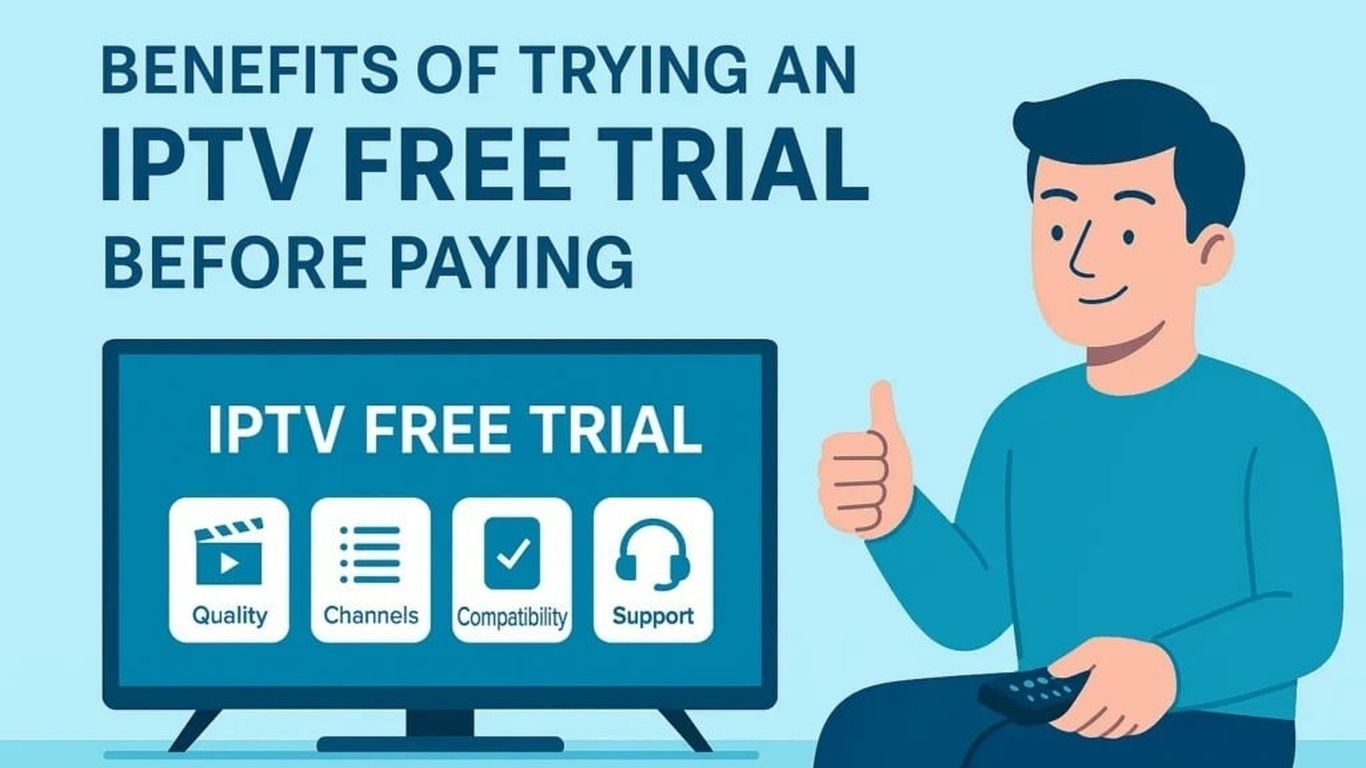
Why Opt for an IPTV Free Trial?


  • Evaluate Service Quality: Assess video quality, buffering issues, and stability.
  • Explore Channel Options: Check if the service offers the channels and content you want.
  • Test Compatibility: Ensure the IPTV service works well with your device and apps like IPTV Smarters Pro, TiviMate, or others.
  • Risk-Free Experience: Try the service without spending money upfront.


Steps to Get an IPTV Free Trial


1. Search for Reputable IPTV Providers


2. Visit the Provider’s Website


3. Register for the Free Trial


  • Fill out the registration form with your name, email, and sometimes a phone number.
  • Some providers may ask for payment details to verify your account, but you won’t be charged during the trial period.
  • Verify your email or phone number if required.


4. Receive Trial Credentials


  • Username and password
  • M3U URL or Xtream Codes for app configuration


5. Set Up the IPTV App


  • Download and install the app on your device.
  • Open the app and enter the credentials provided by the IPTV service.
  • Start exploring the channels and content.


6. Test the Service


  • Streaming Quality: Test HD and 4K content if available.
  • Channel Variety: Ensure your preferred channels are included.
  • Performance: Check for buffering, loading times, and stability.
  • Device Compatibility: Try the service on different devices (smartphone, Firestick, smart TV, etc.).


Tips for a Successful IPTV Free Trial


  • Choose Providers Carefully: Avoid providers with bad reviews or unclear trial terms.
  • Test During Peak Hours: Stream during busy times to evaluate server performance.
  • Use a VPN: If you face geo-restrictions, use a VPN to access the service.
  • Explore All Features: Test the EPG (Electronic Program Guide), VOD (Video On Demand), and multi-screen functionalities.
  • Take Notes: Jot down pros and cons to compare services later.


Beware of Free Trial Scams


  • Upfront Payments: Avoid providers that charge fees for a “free” trial.
  • Unverified Sources: Stick to official websites and trusted platforms.
  • Excessive Personal Info Requests: Providers asking for sensitive details like credit card numbers unnecessarily should be avoided.


What to Do After the Free Trial?


  • Was the streaming quality consistent?
  • Did you find the channels and content you wanted?
  • Was the app easy to use?


Conclusion


Free Iptv

Free Iptv
Among the various streaming options available, Free IPTV stands out as a powerful choice for budget-conscious Firestick users. IPTV, short for Internet Protocol Television, uses the internet to stream live television and on-demand content, eliminating the need for cable boxes or satellite dishes. With Free IPTV apps, you can access hundreds (sometimes thousands) of channels, including those you might typically pay for, without any subscription cost.
In recent years, streaming has rapidly overtaken traditional cable TV as the preferred method of consuming media. With the rise of devices like Amazon’s Firestick, viewers now have more control, freedom, and accessibility than ever before. Whether you’re into sports, international channels, or the latest blockbuster movies, streaming brings entertainment right to your fingertips—anytime, anywhere.
However, with so many apps and services floating around, finding the best Free IPTV for Firestick users can be overwhelming. This blog will walk you through what Free IPTV is, its key features, pros, how to safely install IPTV apps on your Firestick, and the top recommendations for 2025. We’ll also answer the most common questions users ask about IPTV and Firestick compatibility.

What is IPTV and How Does It Work?

IPTV (Internet Protocol Television) is a system that delivers television content via the internet, rather than through traditional terrestrial, satellite, or cable formats. With IPTV, users stream media in real time, just like watching a YouTube video or using Netflix.
Unlike traditional cable TV, which broadcasts content at set times, IPTV enables on-demand viewing, so you can watch your favourite content whenever you want. It also supports live streaming, meaning you can still enjoy live sports events, news broadcasts, and international channels in real time.
Most IPTV services come in two flavours: Paid IPTV and Free IPTV. For Firestick users who are just exploring streaming or want to cut down on costs, Free IPTV provides an excellent starting point.

Why Firestick Users Prefer Free IPTV

🔹 Affordability

The most obvious benefit of Free IPTV is its zero cost. You get access to live TV channels, movies, and shows without monthly subscription fees, making it perfect for users on a budget.

🔹 Content Variety

From local TV stations to global news, sports events, movies, and documentaries, Free IPTV apps often provide access to content from multiple countries and genres.

🔹 Device Compatibility

Free IPTV apps are generally designed to be lightweight and compatible with a wide range of devices, including Android boxes, smartphones, and most importantly, Amazon Firestick.

Top Features to Look for in Free IPTV Apps

1. HD and 4K Streaming

Good IPTV apps support high-quality video playback, including HD and 4K resolution, providing a cable-like viewing experience without the hefty bills.

2. EPG (Electronic Program Guide)

Some IPTV apps come with an integrated EPG, which lists current and upcoming programs—making it easier for you to navigate through live TV channels.

3. Customizable Channel Lists

You can favourite certain channels, create categories, and even filter out content you don’t want to see.

4. On-Demand Content

In addition to live channels, many IPTV apps provide access to a library of on-demand TV shows and movies.

5. Minimal Buffering

While not all free apps are built the same, the best ones offer optimized servers and player support to reduce buffering and improve load times.

Pros and Cons of Free IPTV for Firestick Users

✅ Pros:

  • No Monthly Bills: Ideal for cord-cutters and budget-conscious streamers.
  • Flexible Streaming: Access a wide variety of content anytime and anywhere.
  • No Long-Term Contracts: No need to lock into service plans or commitments.
  • Global Channel Access: Watch international TV that might not be available on traditional cable.

❌ Cons:

  • Legal Gray Areas: Some IPTV apps may host unlicensed content.
  • Unstable Servers: Free apps can occasionally crash or be taken offline.
  • Limited Customer Support: Don’t expect 24/7 service or updates.
  • Ads and Popups: Many free apps include advertisements to sustain the service.

How to Install Free IPTV on Firestick Users: A Step-by-Step Guide

Installing a Free IPTV app on a Firestick is fairly easy but requires a few setup steps to allow third-party app installations.

🔧 Step 1: Enable Unknown Sources

  1. Go to Settings > My Fire TV > Developer Options.
  2. Enable Apps from Unknown Sources.
  3. Go back to the home screen.

🔧 Step 2: Install Downloader App

  1. On your Firestick home screen, go to the Search icon.
  2. Type Downloader, select it, and click Download.
  3. Open the app once installed and allow permissions.

🔧 Step 3: Download the IPTV APK

  1. In the Downloader app, enter the URL of the IPTV APK (you can find links from reliable IPTV review websites or forums).
  2. Click Go to start downloading the file.
  3. Once the download is complete, click Install.
  4. After installation, click Open or Done and delete the APK file to save space.

💡 Pro Tip: Always use a VPN while using IPTV apps to protect your privacy and avoid geo-blocks.

Top Free IPTV Apps to Try on Firestick in 2025

Here are some of the best Free IPTV apps trusted by Firestick users:

🔸 Live NetTV

Offers over 800 live channels from countries like the USA, UK, Pakistan, India, and more. Simple interface and fast loading times.

🔸 RedBox TV

Known for its massive collection of channels and clean, ad-free experience. Great for sports lovers.

🔸 TVTap Pro

Includes entertainment, kids, news, sports, and movie channels from the US and Europe.

🔸 Ola TV

Boasts a huge number of IPTV servers and categories for global content, though the interface can be complex for beginners.

🔸 PikaShow

Focuses more on on-demand content like movies and TV shows, but includes live channels as well.

Frequently Asked Questions

❓ What is the best Free IPTV app for Firestick users?

There are several, but the top choices in 2025 include Live NetTV, RedBox TV, and TVTap Pro. These apps offer thousands of live channels with decent reliability and minimal buffering.

❓ Is it legal to use Free IPTV apps?

The legality of IPTV apps depends on the source of the content. If the app provides licensed content, it is legal. However, many Free IPTV apps operate in legal gray areas, so it’s best to use a VPN and research the app.

❓ Do I need a VPN to use Free IPTV on Firestick users?

Yes, using a VPN is highly recommended. It hides your IP address, secures your internet connection, and allows you to bypass geo-restrictions and ISP throttling.

❓ Why do some Free IPTV apps stop working suddenly?

Free IPTV apps often rely on unstable servers or links. Developers may also take them down due to legal issues or a lack of funding. Always have multiple IPTV apps installed as backups.

❓ How can I improve buffering issues on IPTV apps?

To minimize buffering, use a high-speed internet connection, close unused apps, switch to a better IPTV player like MX Player, and consider using a VPN for faster routing.

Conclusion

In a digital-first world, streaming content on-demand and live is no longer a luxury—it’s a standard. As Firestick users, tapping into the world of Free IPTV allows you to watch live TV, movies, and shows without the heavy cost or limitations of traditional cable services.
By choosing the right IPTV app and taking the time to install it properly, you can unlock a global world of entertainment with just a few clicks. Whether you’re after global sports coverage, Bollywood cinema, or Western TV dramas, Free IPTV services have you covered.
However, always remember to stream responsibly. Many IPTV services may exist in legal gray zones, so using a reliable VPN and sticking to well-reviewed apps is essential for a safe and enjoyable streaming experience. In 2025, Free IPTV for Firestick users represents the cutting edge of affordable home entertainment.

Thank You for Reading

Thank you for reading our latest IPTV guide on iptvuk.host. We provide helpful and updated information about IPTV streaming, apps, devices, setup tutorials, troubleshooting tips, and entertainment trends in the UK.

Whether you want stable live TV, premium sports, movies, TV series, or smooth streaming across all devices, IPTV remains one of the most flexible entertainment solutions available today.

Stay connected with us for more IPTV tutorials, streaming tips, device compatibility guides, and the latest IPTV updates for UK viewers.

Visit iptvuk.host

Free Iptv

Free Iptv


What Is an APK IPTV Free App?

Understanding APKs


IPTV Explained


Top 10 APK IPTV Free Apps in 2025


1. Live NetTV

  • Offers over 800 channels from countries like the US, UK, India, and Pakistan
  • Categories: Sports, News, Movies, Kids, and Religion
  • Regularly updated and user-friendly

2. RedBox TV

  • More than 1,000 live TV channels
  • Works well on Android smartphones and Firestick
  • Lightweight and supports external players like MX Player

3. TVTap Pro

  • High-quality streams with minimal buffering
  • Includes European, American, and Asian channels
  • Clean, ad-light interface

4. Swift Streamz

  • Streams from 30+ countries
  • Supports Chromecast and Android TV
  • No need for additional players or logins

5. HD Streamz

  • A versatile app with radio and live TV
  • Streams in HD quality
  • Customizable video player support

6. Pluto TV (Free and Legal)

  • Offers legal streaming with 250+ channels
  • Great selection of news, sports, and movies
  • No sign-up required

7. PikaShow

  • Combines live TV, movies, and web series
  • Supports downloads and streaming
  • Regularly updated with new content

8. OLA TV

  • Thousands of live TV channels in different categories
  • Frequent updates and multiple streaming sources
  • Works with Ludio Player and Kshaw Player

9. AOS TV

  • Channels from the US, UK, Canada, and beyond
  • Simple navigation and reliable streams
  • Ad-supported, but worth it for free access

10. XUMO TV (Legal Option)

  • Free IPTV solution with 190+ channels
  • Includes channels like Bloomberg, CBSN, NBC News
  • Supported on Android, Roku, and Firestick

Benefits of Using APK IPTV Free Apps

  • ✅ No Monthly Subscription Enjoy live content without the financial burden.
  • ✅ Wide Channel Variety Access international content for sports, news, entertainment, and kids.
  • ✅ Portability Watch on smartphones, tablets, Android TV boxes, and Firestick.
  • ✅ HD and Buffer-Free Streams Many apps support high-quality video and minimal interruptions.

Legal Considerations and Cautions


  • Open-source IPTV apps that use legal free-to-air (FTA) streams
  • Pirated sources that may violate copyright laws


  • ✅ Use a VPN when accessing unknown sources
  • ✅ Avoid apps that ask for sensitive permissions
  • ✅ Stick to legal apps like Pluto TV, XUMO, and Tubi when in doubt

How to Install APK IPTV Free Apps

  1. Enable Unknown Sources Go to Settings > Security > Enable “Install from Unknown Sources”.
  2. Download the APK Visit the official or trusted third-party website.
  3. Install and Launch Open the APK file, follow the prompts, and start streaming.
  4. Use a Player Some apps require external players like MX Player or VLC.

Frequently Asked Questions: FAQs

1. Are APK IPTV Free Apps safe to use?


2. Do these apps work on iPhone or iOS?


3. Can I use these apps on a Smart TV?


4. Are there ads in these free IPTV APKs?


5. Is it illegal to use APK IPTV Free Apps?


Conclusion: The Power of Free Streaming


Free Iptv

Free Iptv
In the fast-paced world of digital entertainment, streaming has become the preferred choice for millions of viewers. The days of being restricted to traditional cable and satellite services are steadily fading as more people turn to IPTV—Internet Protocol Television—for a more flexible and cost-effective way to watch their favorite shows, sports, and movies. In this guide, we focus specifically on how to install the best IPTV App on Fire TV Stick, one of the most popular streaming devices globally.
The Amazon Firestick is a powerful yet affordable tool that transforms any standard TV into a smart entertainment hub. When combined with a reliable IPTV (Internet Protocol Television) app, it becomes a gateway to an enormous variety of live channels, video-on-demand, and international programming. Whether you’re a sports fanatic, movie buff, or a fan of world news, installing an IPTV App on Firestick will significantly elevate your viewing experience.
This in-depth blog will walk you through every step of the process, from choosing the right IPTV App on Firestick to installing and configuring it properly. We’ll also cover tips to enhance performance, protect your privacy, and troubleshoot common issues. Let’s get started with the essentials you need before installing the best IPTV App on Firestick in 2025.

What is IPTV and Why Use It on a Firestick?

Understanding IPTV (Internet Protocol Television)

IPTV stands for Internet Protocol Television, a system where television services are delivered over the internet rather than through traditional terrestrial, satellite, or cable formats. With IPTV UK, users can stream media content continuously and access live TV channels, movies, and series from around the world.

Why IPTV App on Firestick is Perfect for IPTV

The Amazon Firestick is compact, affordable, and easy to use. It plugs directly into your TV’s HDMI port and connects to the internet via Wi-Fi. Firestick supports third-party apps, making it ideal for IPTV services that are typically not found in mainstream app stores.
Here are a few benefits of using an IPTV App on Firestick:
  • Portability – Carry your streaming experience wherever you go.
  • Compatibility – Supports most IPTV apps through sideloading.
  • Affordability – A one-time cost for the device and low monthly IPTV fees.
  • Ease of Use – Simple setup with a user-friendly interface.

Top IPTV Apps on Firestick in 2025

With so many options available, choosing the right IPTV app can be overwhelming. Here are the top-rated IPTV apps for Firestick in 2025, based on performance, user experience, and compatibility:

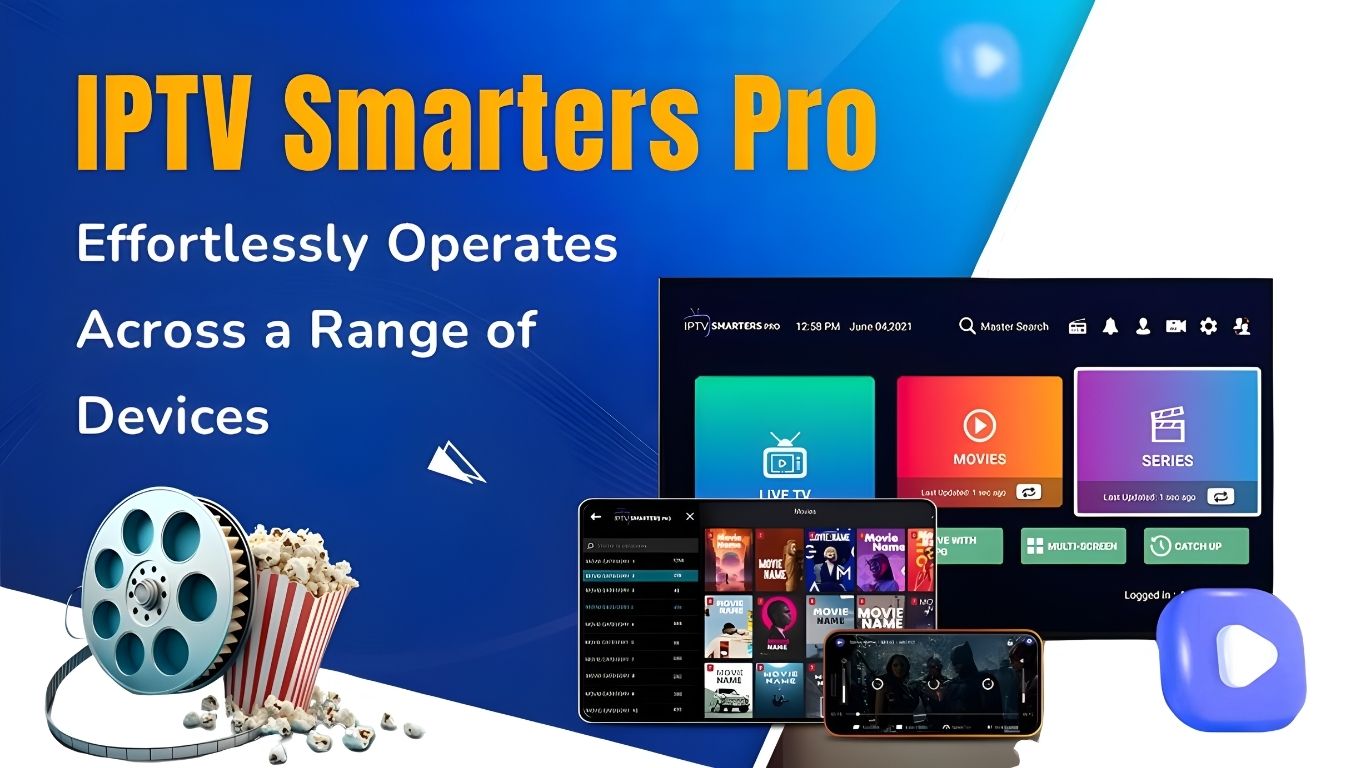
1. IPTV Smarters Pro

This is perhaps the most popular IPTV app for Firestick. It supports Xtream Codes API, M3U playlists, EPG (Electronic Program Guide), catch-up, multi-screen viewing, and more. Its sleek UI makes it ideal for beginners and advanced users alike.

2. TiviMate

Loved by advanced users, TiviMate offers a modern design, excellent channel management, catch-up support, and customization options. A premium version unlocks additional features like scheduled recordings and multiple playlists.

3. KODI

This paid IPTV player is known for its smooth performance and attractive interface. It supports subtitles, external video players, and parental controls.

4. Smart IPTV (SIPTV)

One of the original IPTV players, Smart IPTV allows playlist uploading via URL and supports EPG. It’s stable, fast, and simple to use.

Preparing Your IPTV App on Firestick Installation

Before installing an IPTV App on Firestick, you need to adjust a few settings to allow third-party app installation.

Step-by-Step Preparation:

  1. Plug in and Connect Your Firestick: Make sure your Firestick is connected to your TV and powered on.
  2. Connect to Wi-Fi: Go to Settings > Network to connect to a stable internet connection.
  3. Enable Unknown Sources:
    • Navigate to Settings > My Fire TV > Developer Options
    • Turn on Apps from Unknown Sources
    • This allows you to install apps not available in the Amazon App Store.
  4. Install the Downloader App:
    • From the Firestick home screen, go to Find > Search and type “Downloader”.
    • Select it from the list and click Install.
    • Open the app once installed.

How to Install IPTV Smarters Pro on Firestick

We’ll use IPTV Smarters Pro for this guide, but the process is similar for other IPTV App on Firestick.

Step 1: Download the App

  • Launch the Downloader app.
  • In the URL field, enter: https://www.firesticktricks.com/smarter
  • Click Go to download the APK file.

Step 2: Install the App

  • Once the file is downloaded, you’ll be prompted to install it.
  • Click Install, wait for it to complete, and then click Done.
  • Optionally, delete the APK to save space.

Step 3: Launch IPTV Smarters Pro

  • Return to the Firestick home screen.
  • Go to Your Apps & Channels and scroll down to open the IPTV Smarters Pro app.

Setting Up IPTV Smarters Pro

After installation, here’s how to configure it for your IPTV service:
  1. Accept Terms & Conditions.
  2. Add a New User:
    • Choose between:
      • Load Your Playlist or File/URL
      • Login with Xtream Codes API (preferred)
  3. Enter IPTV Account Info:
    • Username, password, and server URL provided by your IPTV provider.
  4. Choose Your Stream Type:
    • Access Live TV, Movies, Series, or Catch-up TV.
  5. Customize:
    • Organize channels, set parental controls, and enable EPG.

Improving IPTV Streaming Quality on Firestick

To enjoy a smooth IPTV experience:
  • Use a VPN: Bypass geo-restrictions and hide your online activity.
  • Connect to 5 GHz Wi-Fi: For faster, more stable internet.
  • Clear App Cache: Regularly clean your IPTV app cache.
  • Close Background Apps: Free up RAM for smoother playback.

Troubleshooting Common IPTV Issues on Firestick

Buffering or Lagging?

  • Check your internet speed (minimum 10 Mbps).
  • Switch to a wired connection if possible.
  • Restart your Firestick and router.

App Crashing?

  • Update the IPTV app.
  • Uninstall and reinstall the application.
  • Ensure your Firestick software is up to date.

Missing Channels or Content?

  • Contact your IPTV provider.
  • Refresh or reload your playlist within the app.

Conclusion

Installing an IPTV App on a Firestick in 2025 is one of the smartest ways to take full control of your digital entertainment. With just a few steps, you can transform your ordinary television into a powerful streaming machine capable of accessing live TV, on-demand movies, global sports, and more.
Whether you’re new to streaming or a seasoned cord-cutter, combining IPTV services with a Firestick is an unbeatable combo in terms of affordability, performance, and flexibility. By choosing the right IPTV app and following this comprehensive setup guide, you’re well on your way to an elevated TV-watching experience in the new era of digital content.

Thank You for Reading

Thank you for reading our latest IPTV guide on iptvuk.host. We provide helpful and updated information about IPTV streaming, apps, devices, setup tutorials, troubleshooting tips, and entertainment trends in the UK.

Whether you want stable live TV, premium sports, movies, TV series, or smooth streaming across all devices, IPTV remains one of the most flexible entertainment solutions available today.

Stay connected with us for more IPTV tutorials, streaming tips, device compatibility guides, and the latest IPTV updates for UK viewers.

Visit iptvuk.host

Free Iptv

Free Iptv
Following the free trial period, iptvuk.it.com subscriptions offer benefits, including multi-device compatibility and access to premium programming. Leading the IPTV UK Trial market, IPTV UK distinguishes itself with a vast resource library and first-rate customer service. With over 23,000 channels and a sizable movie library, UK IPTV provides users with an engaging entertainment experience. Before committing, potential clients can thoroughly review the service and its features during the free trial. This ensures that consumers may choose wisely based on their needs and interests.

Try IPTV UK for Seamless Streaming Now

IPTV UK stands out for its seamless multi-device streaming experience. Customers can use the service to watch their preferred content on various devices and at any time, no matter where they are. You may continuously watch material on your phone, smart TV, or streaming device with Best IPTV UK. Users may also gauge the service’s dependability and consistency by directly evaluating the streaming quality and performance during the free trial. With an easy-to-use user interface and helpful customer support, the IPTV Subscription provider ensures users have a hassle-free streaming experience during the trial period.

How can I register for a Free Trial?

Visitors must first visit the official IPTV provider website to take advantage of the IPTV UK free trial offer. Once on the website, users can locate the portion that offers the complimentary trial. Users can sign up for the complimentary IPTV trial by selecting this area.
In the sign-up form, users must provide their name, email address, and a few other facts requested by the registration form. Accurate information can ensure a seamless registration process and allow users to benefit from iptvuk.it.com free trial.
During the sign-up procedure, users may also come across coupons or discounts that they can use to get their free trial. Customers who use the provided promo code can get extra savings or benefits during their IPTV England trial period.

What distinguishes iptvuk.it.com in the UK market?

Since its establishment in 2015, iptvuk.it.com has been the most respected and established IPTV provider in the nation. With eight years of industry experience, IPTV UK is committed to providing top-notch services to its customers. The company’s primary goal is to ensure every client has a fantastic time while building long-lasting relationships.

Discover IPTV UK offers more than 23,000 channels.

IPTV UK offers over 23,000 live TV channels from the UK and worldwide. Numerous programs, including news, sports, movies, and more, are instantly available to customers with an IPTV UK subscription. With an IPTV UK subscription, users may get better entertainment and use high-quality IPTV services.

How to Sign Up for IPTV UK?

Visitors must first visit the official IPTV provider website to take advantage of the IPTV UK free trial offer. Once on the website, users can locate the portion that offers the complimentary trial. Users can sign up for the complimentary IPTV trial by selecting this area.
In the sign-up form, users must provide their name, email address, and a few other facts requested by the registration form. By providing accurate information, consumers may ensure a seamless registration process and benefit from the IPTV free trial.
During the sign-up procedure, users may also come across coupons or discounts that they can use to get their free trial. Customers using the provided promo code can get further savings or benefits during their IPTV UK trial period.

Examine IPTV UK Servers’ Features

Customers may sign up for a free trial and browse the wide range of IPTV UK options by visiting the official website. Users must fill out a registration form When they reach the approved free trial section. Your name, email address, and any other information required to set up your account are among the crucial details I have for you here. Users can swiftly finish the registration process and gain access to the services provided by IPTV Subscription by providing accurate information in these fields.
During the sign-up process, users may encounter coupons or discounts that can enhance their experience with the free trial. People can make the most of these offers to maximise their trial time. This is an excellent opportunity to see what IPTV UK Provider offers regarding channels, movies, sports, and other material.

Extensive Movie Collection on IPTV UK Servers

One of the most remarkable features of the IPTVUK servers is the extensive movie library that users may access. The user base benefits from fast access to diverse cinematic content due to the collection of films encompassing numerous genres. Customers may enjoy a movie-watching experience with IPTVUK, which offers everything from the newest blockbusters to vintage movies and niche genres.
The free trial offer allows users to fully immerse themselves in UKIPTV’s extensive movie catalogue. This option allows users to discover and enjoy a wide range of movies, increasing their entertainment value and giving them a sneak peek into IPTV UK’s premium services.
Start your journey with IPTV UK now to find a limitless array of entertainment options that fit your preferences. Sign up for the free trial to experience UK IPTV servers’ unique features and content.

Unlock Savings with an Exclusive Promotion Offer

The vast movie library accessible to users is one of the most notable aspects of IPTV UK servers. Users have instant access to a wide variety of cinematic content thanks to the collection of films that span multiple genres. IPTV UK provides a comprehensive movie-watching experience for its consumers, offering everything from recent blockbusters to classic movies and speciality genres.
The free trial fully immerses users in IPTV UK’s extensive movie library. This option will enable users to explore and enjoy various movies, improving their entertainment value and giving them a preview of the premium services that UK IPTV offers.
Begin your adventure now with UK IPTV to access a world of entertainment options tailored to your tastes. Enroll in the complimentary trial and explore the outstanding features and content accessible via IPTV servers.

Smooth Streaming across Several Devices

Thanks to IPTV’s seamless streaming features, anyone looking to enhance their entertainment experience can immerse themselves in a world of content. By signing up for the free UK IPTV trial, offered to all new customers, users can access a variety of UK TV, phone, and tablet channels. The simple registration process allows users to stream their favourite content easily.
IPTV UK offers the best IPTV trial available in the UK. A complimentary 24-hour trial is available to understand IPTV’s potential fully. To benefit from this trial offer, users must visit IPTV UK and apply the code “Homes10” to receive 10% off their membership. With this introductory package, users may explore all the features and benefits of IPTV, making it an excellent choice for those seeking premium streaming services.

Excellent Customer Support from IPTV UK

In addition to its extensive library and user-friendly interface, IPTV UK offers exceptional customer assistance to every subscriber. When customers require assistance using the platform, have technical inquiries, or experience issues with their accounts, IPTV UK’s customer care team always provides guidance and solutions.
Clients who select IPTV UK may unwind, confident that their entertainment needs will be met by timely and trustworthy customer service. This commitment to customer satisfaction ensures that consumers can always watch the TV series and movies they want, which enhances the entire streaming experience.

Crucial Information Regarding UK IPTV Free Trial

Those looking to improve their entertainment experience can use a free trial period to investigate IPTV UK’s offerings. Prospective clients can use this trial time to become acquainted with the program’s features before committing to a subscription. With more than 23,000 channels and an extensive movie collection, IPTV UK offers customers in the UK a complete entertainment package.
People can visit iptvuk. Homes and enter their information, such as their name and email address, to access the free trial. Users can get a 10% discount on their membership by using the promotional code “Homes10,” which enhances the allure of the trial period. The simplicity of the sign-up process permits speedy registration, allowing customers to begin enjoying their favourite content immediately.

Take Advantage of a Free UK IPTV Trial

Enjoy smooth multi-device streaming with UKIPTV’s free trial offer. Customers may enjoy a wide variety of UK channels on TVs, phones, and tablets, which improves their viewing experience. One of IPTV UK’s unique selling points is its 6-hour trial period, which enables users to experience IPTV’s features firsthand.
In addition to its vast collection of content, IPTV UK takes great pride in providing outstanding customer support. The support team can promptly address technical difficulties, account-related queries, or navigation assistance, guaranteeing a smooth user experience. Users can count on prompt and trustworthy customer service when choosing IPTV UK to meet their entertainment needs.
Enrol in a UK IPTV trial to start an entertaining and educational experience. Enjoy premium streaming services, seamless viewing across many devices, and outstanding customer care. With Professional IPTV, explore a material universe and lose yourself in an unmatched entertainment experience.

Start with the IPTV UK Free Trial

Anyone wishing to enhance their viewing experience can go on an enjoyable journey with the IPTV Free trial offer. Before accessing the vast movie library and more than 23,000 channels UK IPTV is happy to offer, users must register on the website and supply basic information like their name and email address. The rapid and straightforward process allows people to access premium content across several devices.

With IPTV UK, Enjoy Unlimited Entertainment

With UK IPTV’s smooth streaming capabilities, fans of high-quality streaming services can immerse themselves in various UK channels. New customers can experience IPTV’s power directly with the free trial for a full day. Because of the platform’s adaptability, users may consume content on TVs, phones, and tablets, giving them a customised watching experience.
The best option for IPTV trials in the UK is IPTV UK, which offers a 10% discount when using the coupon code “iptvuk.it.com” This promotional offer demonstrates the platform’s dedication to providing top-notch streaming services while giving customers access to premium content. Furthermore, because of the outstanding customer service, users can count on IPTV to provide timely support for any technical or account-related issues.

IPTV UK Free Trial: FAQ

FAQs Frequently Asked Concerning the UK IPTV Free Trial

Here are some frequently asked questions answered for consumers who are using IPTV UK’s free trial offer to learn more about the platform:

What is included in the free trial offer for IPTV?

Users may test out IPTV UK’s features and advantages for free for a whole day, with access to over 23,000 channels and a sizable movie library.

How does one register for the free trial of IPTV?

Visit the IPTV UK website, enter a few personal details (email address and name), and register for a free trial to begin watching premium content on several devices.

Which gadgets can stream content from UK IPTV?

UK IPTV ensures every user has a convenient and personalised viewing experience by offering seamless streaming on various devices, including TVs, phones, and tablets.

Does the free trial come with any exclusive offers or discounts?

Users can enjoy premium content at a discounted rate during the free trial period by using the promotional code “Homes10” to receive a 10% discount on IPTV UK subscription plans.

Is customer support offered during the free trial?

IPTV UK takes pride in giving excellent customer service. Support is easily accessible to help users quickly and effectively with technical or account-related questions.

What distinguishes IPTV UK from other IPTV companies operating in the UK?

IPTV UK is an excellent option for IPTV trials in the UK because of its wide range of channels, sports, movies, and seamless streaming experience. It also stands out for its dedication to providing high-quality services to its users.

Can consumers cancel their subscriptions when the free trial time ends?

Customers can test the service without being trapped in anything because they can cancel their memberships whenever they choose.

What kind of entertainment choices are available to IPTV UK customers?

With an extensive collection of films, sporting events, and several channels, IPTV UK offers something for everyone’s entertainment needs, so viewers will find something they enjoy.
By answering these frequently asked questions, consumers will be better equipped to decide whether to take advantage of IPTV’s free trial offer and discover a world of limitless entertainment options.

Conclusion

In conclusion, the UK IPTV trial offers a fantastic chance for people to learn about IPTV and the wide variety of accessible content. IPTV provides a high-quality entertainment experience customised to meet its consumers’ varied tastes, all while giving flawless streaming across various devices and outstanding customer support. Join IPTV UK now to take advantage of their free trial offer and start your entertaining and educational journey. 

Thank You for Reading

Thank you for reading our latest IPTV guide on iptvuk.host. We provide helpful and updated information about IPTV streaming, apps, devices, setup tutorials, troubleshooting tips, and entertainment trends in the UK.

Whether you want stable live TV, premium sports, movies, TV series, or smooth streaming across all devices, IPTV remains one of the most flexible entertainment solutions available today.

Stay connected with us for more IPTV tutorials, streaming tips, device compatibility guides, and the latest IPTV updates for UK viewers.

Visit iptvuk.host

Free Iptv

Free Iptv
IPTV UK subscription offers benefits like multi-device compatibility and access to premium content after the free trial period. Prominent in the UK IPTV Trial industry. IPTV UK sets itself apart with an extensive material library and outstanding customer support. With over 23,000 channels and a sizable movie library, UK IPTV provides users with an engaging entertainment experience. Prospective clients can extensively study the service and its features during the free trial time before committing. This ensures that consumers can choose wisely based on their needs and preferences.

Experience Seamless Streaming with a Free Trial of IPTV UK

IPTV UK stands out for its seamless multi-device streaming experience. Customers can use the service to watch their preferred content on various devices and at any time, no matter where they are. With Best IPTV UK, you may watch content on your phone, smart TV, or streaming device easily and uninterruptedly. Users can also check the dependability and consistency of the service by testing the streaming quality and performance firsthand during the free trial. The IPTV Subscription provider ensures users have a hassle-free streaming experience during the trial period with an intuitive UI and attentive customer service.    

How do you sign up for a Free Trial IPTV UK?

To take advantage of the free trial offer for IPTV UK, users must first visit the official website of the IPTV provider. Once on the website, users should be able to locate the section that offers the complimentary trial. Users can register for the iptv uk free trial by clicking on this section.
Users are required to provide their information in the sign-up form. These consist of their name, email address, and a few additional details that the registration form demands. Users can ensure a seamless registration process and benefit from iptvuk.it.com free trial by providing accurate information.
During the registration process, users may also come across coupons or discounts that they can use to get their free trial. Consumers can receive additional discounts or bonuses using the offered promo code during their IPTV England trial time.

Why does iptvuk.it.com IPTV Homes stand out in the UK market?

Since its establishment in 2015, UK IPTV has been the most respected and established IPTV service in the nation. The company aims to please its consumers by delivering them the greatest entertainment experience and establishing enduring ties.

Discover Over 23000 Channels with IPTV UK

IPTV UK offers over 23,000 live TV channels from all over the world, including the UK. Numerous channels, including news, sports, movies, and more, are instantly available to customers. Users can enjoy superior IPTV services and improve their entertainment experience by subscribing to IPTV UK.  

Steps to Register for IPTV UK

People must first visit the official IPTV provider website to take advantage of the free trial iptv in uk offer. Once there, they should find the free trial offer section and click on it to register for the free IPTV trial. Users then have to fill out the sign-up form with their personal information, which includes their name, email address, and a few more details that the registration form requests. By providing accurate information, users can ensure a smooth registration process and benefit from IPTV UK’s free trial. Additionally, users may find coupons or discounts during the registration process that they can use for their free trial. The provided promo code allows customers to receive additional discounts or bonuses during their IPTV UK trial period.

Explore the Features of IPTV UK Servers

Customers can sign up for a free trial and check out all IPTV UK options by visiting the official website. Once they reach the approved free trial section, they must fill out a registration form that requests important information such as your name, email address, and other details needed to set up your account. By providing accurate information, users can quickly complete the registration process and gain access to the range of services that IPTV Subscription offers. During the registration process, users may find coupons or discounts to enhance their experience with the free trial. They should take advantage of these offers to get the most out of their trial period. This is a great opportunity to check out the various channels.

Vast Movie Library Available with IPTV UK Servers

One of the most remarkable features of the IPTVUK servers is the extensive movie library available to users. Users have instant access to a wide variety of cinematic content thanks to the collection of films that span multiple genres. IPTVUK provides a comprehensive movie-watching experience for its clients, including everything from the latest blockbusters to vintage films to specialized genres.
Users can fully immerse themselves in the extensive movie library UKIPTV offers through the free trial offer. With this option, users can explore and enjoy various movies, increasing their entertainment value and giving them a sneak peek at the premium services that IPTV UK offers.
Begin your adventure with IPTV UK right now to discover an endless supply of entertainment options tailored to your tastes. Sign up for the free trial to experience the amazing features and content UK IPTV servers offer.

Promo Code Homes10 for Discount on IPTV UK

Customers can sign up for a free trial and check out all IPTV UK options by visiting the official website. Once they reach the approved free trial section, they must fill out a registration form that requests important information such as your name, email address, and other details needed to set up your account. By providing accurate information. Users can quickly complete the registration process and gain access to the variety of services that IPTV UK offers. During the registration process, users may find coupons or discounts to enhance their experience with the free trial. They should take advantage of these offers to get the most out of their trial period. This is a great opportunity to check out the various IPTV channels.

Unlock Savings with an Exclusive Promo Code

The enormous movie collection accessible to consumers is one of the most noticeable elements of IPTV UK servers. The library of movies that cover several genres gives users fast access to a vast array of cinematic entertainment. IPTV UK provides a comprehensive movie-watching experience for its consumers, offering everything from recent blockbusters to classic movies and speciality genres.
Users may fully immerse themselves in IPTV UK’s extensive movie library through the free trial offer. With this option, users can explore and enjoy various movies, increasing their entertainment value and providing a sneak peek at the premium services that UK IPTV offers.
Begin your adventure now with UK IPTV to access a world of entertainment options personalized to your tastes. Sign up for the free trial to experience the amazing features and content available through IPTV servers.

Seamless Streaming on Multiple Devices

Anyone looking to enhance their entertainment experience can lose themselves in a world of content thanks to IPTV’s smooth streaming capabilities. Customers can access a variety of UK TV, phone, and tablet channels by signing up for the iptv subscription uk free trial. Which is available to all new customers. Clients can stream their favourite material quickly because the registration process is simple. And IPTV UK offers the best IPTV trial available in the UK. IPTV is a great choice for those looking for premium streaming services because of this introductory offer, which lets consumers discover.

Exceptional Customer Service with IPTV UK

In addition to its extensive library and user-friendly interface, IPTV UK takes great pride in offering exceptional customer support to every user. The customer care team at IPTV UK is always on hand to assist and answer questions about whether users need help navigating the platform, have technical queries, or have problems with their accounts.
Customers who choose IPTV UK may relax, knowing prompt and dependable customer support will satisfy their entertainment needs. This commitment to customer satisfaction ensures that consumers can always watch the TV series and movies they want, which enhances the entire streaming experience.

Essential Details About Free Trial IPTV UK

For those looking to improve their entertainment, iptv providers uk free trial period to acquaint prospective customers with the service’s features before committing to a subscription. With more than 23,000 channels and an extensive movie library. IPTV UK offers a complete entertainment solution for users in the UK. To take advantage of the free trial, people visit iptvuk.it.com and enter their name and email address. Using the promotional code “Homes10,” users can receive a 10% discount on their subscription, further enhancing the trial experience. The sign-up process is easy to complete, allowing users to watch their favourite content immediately.

Enjoy a Free Trial of IPTV UK

Experience seamless streaming on numerous devices with UKIPTV’s free trial offer. Users can delight in numerous UK channels on multiple platforms, such as TVs, phones, or tablets, boosting their viewing experience. One of IPTV UK’s unique selling points is its 24-hour trial period, which enables users to experience IPTV’s features firsthand.
In addition to its vast collection of content, IPTV UK takes great pride in providing outstanding customer support. The support team can promptly address technical difficulties, account-related queries, or navigation assistance, guaranteeing a smooth user experience. Users can count on prompt and trustworthy customer service when choosing IPTV UK to meet their entertainment needs. Savor has first-rate customer service, uninterrupted viewing on several devices, and premium streaming services. Delve into a world of content with Professional IPTV and immerse yourself in an unparalleled entertainment experience.

Get Started with a Free Trial IPTV UK

Anyone wishing to enhance their viewing experience may now embark on an enjoyable journey with best iptv service uk free trial offer. The website asks users to register and enter basic information like their name and email address before accessing the enormous movie collection. With over 23,000 channels, UK IPTV is glad to serve. The rapid and simple process lets Customers take advantage of premium content on multiple devices.

Experience Unlimited Entertainment with IPTV UK

With UK IPTV’s seamless streaming functionality, fans of high-quality streaming services can immerse themselves in various UK channels. The platform’s versatility allows for content consumption on multiple devices, including TVs, phones, and tablets. Ensuring a personalized viewing experience for every user. IPTV UK is the best option for best iptv uk free trial. And it’s currently offering a 10% discount with the promotional code “Homes10.” This special offer gives users access to premium content and highlights the platform’s dedication to providing high-quality streaming services. Moreover, with excellent customer support, users can rely on IPTV for timely assistance with any technical or account-related questions.

IPTV UK Free Trial: FAQ

Commonly Asked Questions About Free Trial IPTV UK

For customers explore the world of IPTV through the IPTV UK free trial offer, below are some typical queries addressed:

What does the Free Trial IPTV UK offer include?

The free trial allows consumers access to over 23,000 channels and a big library of movies for 24 hours, allowing them to sample IPTV UK’s features and benefits.

How can one sign up for the Free Trial of IPTV UK?

By visiting the IPTV UK website and entering basic information like name and email, consumers can immediately register for the free trial and start enjoying premium content on numerous devices.

What devices are compatible with UK IPTV for streaming?

All users may enjoy a quick and personalized viewing experience with UK IPTV’s seamless streaming on TVs, phones, and tablets.

Are any special promotions or discounts available with the Free Trial IPTV UK?

Yes, consumers can access premium content at a discounted rate during the free trial period by using the promotional code “Homes10” to receive a 10% discount on IPTV UK subscription plans.

When the free trial is active, will customer service be available?

IPTV UK is committed to providing its customers with top-notch customer care. Technical support and account-related assistance are readily available to users, and problems are handled quickly and effectively.

What distinguishes IPTV UK from other IPTV companies operating in the UK?

IPTV UK is a great option for free iptv trial uk because of its wide range of channels, sports, movies, and seamless streaming experience. It also stands out for its dedication to providing high-quality services to its users.

When the free trial time expires, can users cancel their subscription?

Indeed, clients can discontinue their subscriptions whenever they please, allowing them to evaluate the service without being trapped in anything.  

What type of entertainment options does IPTV UK offer to users?

With so many channels, sports events, and a huge movie library, IPTV UK offers something for everyone’s taste in entertainment. By answering these frequently asked questions, users can make an educated choice about taking advantage of IPTV’s free trial offer and discovering an endless world of entertainment options.

Conclusion

Finally, the UK IPTV trial is a great way for people to learn more about IPTV and the wide variety of accessible content. IPTV offers first-rate entertainment catered to its users’ varied tastes, and you can experience this by signing up for a free trial and starting your entertainment and discovery journey with IPTV UK.

Thank You for Reading

Thank you for reading our latest IPTV guide on iptvuk.host. We provide helpful and updated information about IPTV streaming, apps, devices, setup tutorials, troubleshooting tips, and entertainment trends in the UK.

Whether you want stable live TV, premium sports, movies, TV series, or smooth streaming across all devices, IPTV remains one of the most flexible entertainment solutions available today.

Stay connected with us for more IPTV tutorials, streaming tips, device compatibility guides, and the latest IPTV updates for UK viewers.

Visit iptvuk.host

Free Iptv

Free Iptv

Introduction to Internet TV and IPTV


The Benefits of Internet TV: Why You Should Switch


Cost Effectiveness


Range of Channels and Content Availability


Flexibile Internet TV


Top Platforms for Internet TV and IPTV UK


How to Access Free TV on the Internet


Watch Internet TV through the Network Websites


Streaming IPTV Services


Through YouTube


Online web TV channels


Streaming Live Internet TV: Best Practices and Tips


Compatible streaming devices


High-speed Internet connection


Streaming Platform choices


Electronic Program Guide


Popular Free Live TV Streaming Sites


IPTV UK


IPTV


HD Smooth IPTV


IPTV Portugal


Watching Live Internet TV Online: Devices and Compatibility


Smart TV


Laptops


Tablets and Smartphones


Future Trends in Internet TV and  IPTV


Continuous Improvement in Streaming Technology


Content diversification


Conclusion


Thank You for Reading

Thank you for reading our latest IPTV guide on iptvuk.host. We provide helpful and updated information about IPTV streaming, apps, devices, setup tutorials, troubleshooting tips, and entertainment trends in the UK.

Whether you want stable live TV, premium sports, movies, TV series, or smooth streaming across all devices, IPTV remains one of the most flexible entertainment solutions available today.

Stay connected with us for more IPTV tutorials, streaming tips, device compatibility guides, and the latest IPTV updates for UK viewers.

Visit iptvuk.host

Free Iptv

Free Iptv
iptvuk.it.com provides a free UK IPTV Free Trial for all new users. Through account registration, people can watch UK channels on TV, Android phones, and tablets. With the iptvuk.it.com 24-hour trial offer, users can get a lower rate by applying the promo code and feeling the power of IPTV.

Wide Range of Channels

With its many channels, IPTV UK offers viewers a vast range of content from different genres and geographical areas. The UK IPTV trial allows viewers to enjoy various sports, films, news, entertainment, and more programs. This lets consumers discover channels that fit their interests and explore a variety of content genres.

Convenience and Flexibility

Its main advantages are the ease of use and flexibility provided by iptvuk.it.com UK IPTV trial. Customers can experience IPTV streaming on the platforms of their choice by selecting the device that best fits their needs. Users can enjoy IPTV in a way that suits their lifestyle during the trial, whether they stream on a mobile device or watch TV on a large screen.

Quality Streaming Experience

The high-quality streaming experience offered by the UK IPTV trial is an additional benefit. With iptvuk.it.com, viewers can watch their favourite UK channels without interruptions, thanks to a seamless and continuous streaming experience. Users may fully immerse themselves in the content they are watching and have an enhanced viewing experience thanks to this high-quality streaming experience.

Exploring New Content

Users can explore new content they have yet to view through the IPTV UK experiment. With a wide variety of channels, users may find fresh episodes, films, and programs in various genres. Users can now expand their watching horizons and find content that interests them, opening up a world of entertainment options.
iptvuk.it.com hopes to bring users a taste of the advantages of IPTV streaming by providing a free UK IPTV trial. The trial offers a comprehensive experience for users wishing to improve their TV viewing experience, with a wide range of channels, convenience, high-quality streaming, and the chance to discover new content.

What is iptvuk.it.com?

iptvuk.it.com: Leading provider of IPTV services in the UK

iptvuk.it.com, a well-known IPTV service provider in the UK, is renowned for providing its customers with a wide selection of TV channels, on-demand programming, and excellent streaming choices. The organization is delighted to offer a flawless viewing experience with suitable devices and internet access.

Features and services offered by iptvuk.it.com

iptvuk.it.com is notable for its dedication to providing various channels to accommodate diverse tastes and passions. With the ease of an internet connection, users can access a vast array of information, including sports, movies, news, entertainment, and more. With the promo code, you may take advantage of cheaper pricing on the company’s 24-hour trial offer. It lets new users experience IPTV’s potential without paying for it.
Besides offering a wide range of channels,iptvuk.it.com prioritizes user comfort and adaptability. Customers may effortlessly watch their favourite programs on TVs, smartphones, or tablets when they can select the device of their choice for streaming. Because of this adaptability, viewers can customize their viewing experience to fit their tastes and way of life.
Additionally, iptvuk.it.com strongly prioritizes giving its users a top-notch streaming experience. The organization guarantees that users can fully immerse themselves in the content without interruptions by providing seamless and uninterrupted service. The focus on high-quality streaming ensures a top-notch entertainment experience and improves viewing enjoyment.

Benefits of legally watching UK TV through IPTV

Customers can take advantage of iptvuk.it.com free trial if they want to watch UK TV lawfully via IPTV.residences. Individuals can access various UK TV, phone, and tablet channels by creating an account.

Saving money on IPTV services with promotional offers

To assist customers in saving money on their IPTV subscriptions, iptvuk.it.com provides a range of special discounts. Using promo codes, iptvuk.it.com clients can get various UK TV channels at a lower price. Thanks to these promotional deals, users can now afford to enjoy premium IPTV services without sacrificing channel variety or quality. Users can maximize their viewing experience while sticking to a budget by taking advantage of these offers.

Compatible Devices

List of devices compatible with iptvuk.it.com services

iptvuk.it.com provides device interoperability to accommodate a wide range of consumer preferences. Smart TVs from well-known manufacturers, including Samsung, LG, and Sony, are among the compatible gadgets. Full support for streaming devices like Roku and Amazon Fire Stick guarantees a flawless watching experience. Gamers may access iptvuk.it.com on Xbox One and PlayStation 4 consoles.
Mobile users don’t have to worry because the service works with tablets and smartphones running iOS and Android. Additionally, the IPTV trial is accessible on Windows and Mac computers and laptops. Users may enjoy their favourite material on the screens of their choice thanks to the vast range of compatible devices, which increases convenience and flexibility.

Customer Reviews

Feedback from customers who have used the UK IPTV trial by iptvuk.it.com

Consumers who have used iptvuk.it.com UK IPTV trial have left excellent reviews on their encounter. Consumers appreciate the smooth transition from the trial period to a subscription plan, underscoring the iptvuk.it.com website’s user-friendly interface. One of the main draws of iptvuk.it.com products has been the opportunity for users to test out the services during the trial period before deciding to subscribe.

Satisfaction with service quality, reliability, and channel selection

Consumers are pleased with iptvuk.it.com selection of channels, dependability, and service quality. Reliable users have praised the uninterrupted, reliable access to UK TV channels across various devices. Another major topic of appreciation from reviewers is the affordable membership levels without sacrificing the calibre of the content. Customers value being able to choose from various subscription lengths and extra features that improve their viewing experience.

Summary of the benefits of the iptvuk.it.com IPTV Free Trial

  • Access to various channels, including well-known foreign and UK networks.
  • A channel lineup that can be altered to suit individual tastes.
  • An extensive collection of on-demand media is available for viewing TV series and films anytime.
  • No long-term commitments, enabling a range of subscription options.
  • Compatibility with PCs, smart TVs, tablets, and smartphones.
  • Superior streaming in 4K or HD.

Final thoughts on legally watching UK TV through iptvuk.it.com services

iptvuk.it.com has established itself as a reputable supplier for individuals seeking a hassle-free IPTV experience in the UK. Before choosing a membership, users may check out their entertainment selections with their excellent IPTV free trial. The favourable response from customers regarding iptvuk.it.com channel selection, dependability, and quality of service further solidifies the company’s standing as the best option for IPTV services in the UK.

Thank You for Reading

Thank you for reading our latest IPTV guide on iptvuk.host. We provide helpful and updated information about IPTV streaming, apps, devices, setup tutorials, troubleshooting tips, and entertainment trends in the UK.

Whether you want stable live TV, premium sports, movies, TV series, or smooth streaming across all devices, IPTV remains one of the most flexible entertainment solutions available today.

Stay connected with us for more IPTV tutorials, streaming tips, device compatibility guides, and the latest IPTV updates for UK viewers.

Visit iptvuk.host

Free Iptv

Free Iptv


Introduction to IPTV and Its Popularity in the UK


What is an IPTV Free Trial and How Does It Work?


Benefits of Using an IPTV Trial


Compatibility of the IPTV service with your existing devices


Extensive Content Library


Free Trial without Credit card


Content availability in IPTV UK free trial


Several crucial factors of a free IPTV trial


High-quality streams


User-friendly interface


Topnotch Customer Support


Common Challenges and How to Overcome Them


IPTV Buffering during free IPTV trial UK


Limited access to content


Technical issues that occur during setup of free IPTV trial UK


User Reviews and Testimonials: Learning from Others’ Experiences


Positive Feedback


Negative Feedback


Community Reviews and Forums


Conclusion: Is an IPTV Free Trial UK Worth It?


Free Iptv

Free Iptv
Internet Protocol Television, or IPTV, has gained popularity throughout the UK as a flexible and reasonably priced entertainment option. Many users want to receive IPTV material without having to pay beforehand, which begs the question: Can free IPTV be used on a Smart TV? The answer is yes, as long as you follow the proper processes and recognize the constraints.
This guide will walk you through how to install and use free IPTV services on your Smart TV, how it differs from paid options, and why choosing a subscription-based IPTV plan is ultimately the more reliable solution.

What Is Free IPTV?

Free IPTV refers to IPTV streams and playlists that are available at no cost. These often include public-domain TV channels, international free-to-air stations, and community-shared IPTV links. Unlike paid IPTV services, free IPTV does not offer guaranteed service quality, consistent content availability, or customer support.
Typically, free IPTV is accessed via M3U or Xtream Codes playlists, which are then loaded into an IPTV-compatible player.

Requirements to Use IPTV on Your Smart TV

Before getting started, make sure you have the following:
  • A Smart TV with app installation support, such as Samsung, LG, Android TV, etc
  • A stable internet connection with recommended speed: at least 10 Mbps
  • An IPTV player application installed on your Smart TV
  • A working M3U URL or playlist
  • Optional: a VPN to enhance privacy and bypass regional restrictions

Step-by-Step Guide to Setting Up Free IPTV

Step 1: Install an IPTV Player App on Your Smart TV

Free IPTV content is streamed through IPTV players. These applications do not provide content themselves but allow users to upload playlists that contain streaming links.
Popular IPTV players include:
  • Smart IPTV (SIPTV) is available on Samsung and LG Smart TVs
  • TiviMate IPTV Player is suitable for Android TV devices
  • Flix IPTV works across a variety of smart platforms
  • OTT Navigator IPTV offers advanced filtering and channel organisation
To install, visit the app store on your Smart TV, search for the IPTV player of your choice, and follow the installation prompts.

Step 2: Obtain a Free IPTV Playlist

Free IPTV playlists, usually in M3U or Xtream Codes format, are available through open-source platforms, IPTV forums, online communities, or IPTV-focused blogs. These playlists include the URLs required to stream various live channels or video-on-demand content.
Many free playlists are unreliable, can go offline without notice, and may carry security risks if not vetted properly.

Step 3: Load the Playlist into Your IPTV Player

Once you have both your IPTV player and playlist, follow these general steps (exact instructions may vary depending on the app):
  1. Open the IPTV player app
  2. Select the option to add a new playlist
  3. Paste the M3U URL or upload the file via the provided tools
  4. Name your playlist for easy reference
  5. Save and refresh the app interface
Your channels should now be visible and ready for streaming.

Limitations of Free IPTV

While free IPTV may seem appealing, it comes with a range of limitations. Below is a comparison between free and paid IPTV options:
  • Unreliable and Unstable
  • Low to Standard Definition
  • Limited and Inconsistent
  • Piracy Risks
  • Unavailable Customer Support

Legal Considerations

Free IPTV is legal only when the content is freely distributed and does not violate copyright laws. Streaming copyrighted or geo-restricted content through unauthorised links can result in legal consequences. To ensure compliance, always use verified IPTV providers or consult official sources.

Why Choose IPTV UK for a Premium IPTV Service

While free IPTV can introduce users to the concept of internet-based television, our IPTV subscriptions offer:
  • We provide access to over 11,000 live TV channels for unlimited watching pleasure.
  • Our service provides a stable connection with no buffering or freezing.
  • You can expect a wide array of content and channels for your entertainment buzz.
  • IPTVUK.IT.COM offers 24/7 customer support with the highest compatibility with all major apps and devices.
If you value quality, consistency, and security, switching to a premium IPTV provider is a smart investment.

Final Thoughts

To conclude, setting up free IPTV on your Smart TV is a simple process that can provide short-term access to live channels and content. However, the limitations of free IPTV, such as poor reliability, legal risks, and lack of support, make it unsuitable for long-term use.
If you’re looking for a dependable and high-quality viewing experience, a subscription-based IPTV service offers far better value and peace of mind.
For those ready to upgrade, premium IPTV services provide an affordable and user-friendly way to enjoy full HD entertainment across all your devices.

Thank You for Reading

Thank you for reading our latest IPTV guide on iptvuk.host. We provide helpful and updated information about IPTV streaming, apps, devices, setup tutorials, troubleshooting tips, and entertainment trends in the UK.

Whether you want stable live TV, premium sports, movies, TV series, or smooth streaming across all devices, IPTV remains one of the most flexible entertainment solutions available today.

Stay connected with us for more IPTV tutorials, streaming tips, device compatibility guides, and the latest IPTV updates for UK viewers.

Visit iptvuk.host

Free Iptv

Free Iptv
If you’re looking to enjoy IPTV (Internet Protocol Television) content without breaking the bank, IPTV Smarters Pro might be the app you’ve come across. It’s sleek, user-friendly, and supports a wide range of devices. Many users wonder if they can get IPTV Smarters Pro for free and how to use it without paying for expensive subscriptions. If that’s you, this guide is exactly what you need.
Below, we walk you through what IPTV Smarters Pro is, how to get a free account, and what to expect from the experience.

Is IPTV Smarters Pro Itself Free?

Yes, the app itself is free to download from official stores like Google Play or Apple’s App Store. However, to make it functional, you need an active IPTV subscription or M3U playlist, which typically costs money.
But here’s the twist: many providers offer free trial accounts, and there are some legal workarounds to test IPTV services at no cost.

Step 1: Download IPTV Smarters Pro

To get started, head to your device’s app store and search for IPTV Smarters Pro. Once located, go ahead and download the app, then install it on your device. If you’re using a FireStick or Android TV and the app doesn’t appear in your region, don’t worry—you can still install it by sideloading. Simply use the Downloader app to manually install the APK file. It’s a quick and commonly used method for accessing apps that aren’t directly available in certain app stores.

Step 2: Look for Free IPTV Trial Providers

Many IPTV vendors provide short-term trials to attract new users, giving you a chance to explore their content and service quality before committing to a subscription. However, it’s important to choose a reputable provider—some sources may distribute malware or unauthorised streams. Once you select a trusted trial service, you’ll typically be asked for your email and then provided with three key details: a username, a password, and either a portal URL or an M3U link. These credentials are what you’ll enter into the IPTV Smarters Pro app to start streaming content.

Step 3: Log in to IPTV Smarters Pro Using Trial Credentials

Now that you have your login credentials, open the IPTV Smarters Pro app on your device. You’ll be prompted to choose a login method, either by using the Xtream Codes API, which is the recommended option for a faster and more integrated experience, or by entering an M3U playlist URL. Simply input the details provided by your IPTV service, including the username, password, and server URL.
Once you’ve filled in the required fields, click on “Add User” or “Login.” Within moments, the app will load your content dashboard, where you’ll see organised categories such as Live TV, Movies, Series, and Catch-Up TV, depending on what your IPTV subscription includes.

Step 4: Buy a Legal IPTV Subscription

For the best experience with IPTV Smarters Pro, consider purchasing a premium IPTV subscription in the UK. While free trials can give you a glimpse of what IPTV offers, a paid subscription ensures stable, high-quality streaming with access to a wide range of channels, movies, and series.
At IPTV UK, we provide secure, reliable, and fast IPTV services with dedicated support. Our packages include full access to live TV, on-demand content, sports, international channels, and more, all compatible with IPTV Smarters Pro and other major players.

Step 5: Explore the App’s Free Features

Even without an active IPTV subscription, IPTV Smarters Pro still offers several useful features. Users can manually add their playlists, which makes the app highly customisable. It also allows you to create and manage multiple user profiles, ideal if you’re sharing the app with family members. You can adjust video player settings to suit your preferences, and if your playlist includes one, the Electronic Program Guide (EPG) can be displayed for a better browsing experience. Additionally, the app supports casting to larger screens on compatible devices, making it easy to enjoy your content on a TV or projector without the need for extra hardware.

Use VPN and Avoid Illegal Streams

Many free IPTV streams may not be properly licensed in your country, which can put you at risk of violating copyright laws without realising it. To stay safe while exploring IPTV options, it’s highly recommended to use a VPN. A VPN helps protect your identity and data, especially when streaming from unfamiliar sources. Be cautious of suspicious websites that request too much personal information, as these can often be scams or unsafe platforms. Instead, look for IPTV trial services that are transparent, reputable, and responsive to user inquiries.
Above all, ensure that the content you access is legal in your region to avoid potential fines or warnings from your internet service provider. Streaming smartly means streaming safely.

Conclusion

To conclude, if you’re just starting, trying IPTV Smarters Pro with a free trial account or M3U playlist is a great way to explore the app’s capabilities. It gives you a taste of the IPTV experience without requiring an upfront investment.
However, for long-term, stable, high-quality content, most users eventually opt for a paid IPTV service. That way, you get reliable streams, better customer support, and additional features.

Thank You for Reading

Thank you for reading our latest IPTV guide on iptvuk.host. We provide helpful and updated information about IPTV streaming, apps, devices, setup tutorials, troubleshooting tips, and entertainment trends in the UK.

Whether you want stable live TV, premium sports, movies, TV series, or smooth streaming across all devices, IPTV remains one of the most flexible entertainment solutions available today.

Stay connected with us for more IPTV tutorials, streaming tips, device compatibility guides, and the latest IPTV updates for UK viewers.

Visit iptvuk.host
Agent Available WhatsApp Messenger Logo